Rep Licensing — Required Before You Sell
🪪 Who needs the HIS registration
Anyone who solicits, sells, or negotiates home improvement contracts (including solar on existing homes) outside the contractor's place of business — at any contract dollar amount. Requirements: be 18+. No exam, no bond, no experience, no California residency — out-of-state reps fully qualify.
- Appointment setters are exempt — but only if they exclusively schedule appointments. The moment they discuss price or terms, they need registration.
- The registration is personal (not tied to one company). One HIS can sell for multiple contractors — but each contractor must file an Employment Notification with CSLB before your first pitch for them.
- Your name and HIS number go on every contract you solicit — it's a required contract element in California.
📝 How to apply — step by step
- Complete the Easy-Fill HIS application ↗ online in one sitting (it can't save progress), then print and sign in ink. There is no fully-online submission.
- Mail it with a $200 check or money order payable to "Registrar of Contractors" to: CSLB, P.O. Box 26000, Sacramento, CA 95826-0026. No credit cards.
- Required: full legal name, SSN or ITIN (mandatory), street residence address (no P.O. box), email, and honest answers to the background questions — convictions including DUIs and expunged pleas WILL show up; a "Yes" needs an attached statement but isn't auto-disqualifying.
- CSLB mails an acknowledgment letter with your application fee number — save it, it's how you track status ↗. Then comes the fingerprint packet.
- Military/veterans: expedited processing and 50% off the fee with DD-214 or orders.
🖐 Fingerprints — do Live Scan IN California (the big time-saver)
This is the difference between ~1 week and 3-6+ months. CSLB's own words: hard-copy fingerprint cards take "three to six months or longer" to process, while electronic Live Scan results typically reach CSLB within about a week. Live Scan can only be done physically in California — a Texas fingerprint shop cannot transmit into CA DOJ.
- Out-of-state applicants are mailed hard cards by default. Don't use them. Call CSLB (800-321-2752) or email [email protected] to confirm you'll do Live Scan instead and have the Request for Live Scan Service form (BCII 8016) in hand.
- Take the form + photo ID to any DOJ-certified Live Scan site ↗ (police departments, UPS Stores, private shops). Cost: $49 processing + the site's rolling fee — expect $60-90 all-in. Fold it into a regular CA sales trip.
- Mail the third copy of the Live Scan form back to CSLB within 90 days — miss this and the application can be voided.
- Make the technician enter your name exactly as it appears on your application. Name mismatches cause DOJ delays.
⏱ Timeline, renewal, and switching companies
- Realistic total with in-CA Live Scan: about 3-6 weeks (mail + posting ~1-2 weeks, prints ~1 week, issuance days). With mailed hard cards: 3-6+ months. Check CSLB's live processing times ↗.
- There is no paid expedite. Avoid third-party "registration services" — CSLB has no affiliation with any of them.
- Term: 2 years, expiring the last day of your issuance month. Timely renewal $200; late renewal $300 — and an expired registration means no selling until renewed.
- Report address changes in writing within 90 days. Traveling reps lapse all the time because the renewal notice went to an old address.
- Switching companies: your registration stays yours — the new contractor files the Employment Notification (online, free) before you sell for them; the old one files a cessation notice.
📋 California selling rules that come with it
- Solar Energy System Disclosure Document — must be the front/cover page of every residential solar contract (total cost, CSLB complaint info, 3-day cancellation right).
- CPUC Solar Consumer Protection Guide — PG&E, SCE, and SDG&E customers must read and sign it before signing the contract; the signed pages go in with interconnection.
- 3-business-day right to cancel on in-home sales — 5 days for customers 65 and older.
- The contract and disclosures must be in the same language as your sales presentation (pitch in Spanish = Spanish contract docs).
- Many cities require their own solicitor permits for door-knocking — that's municipal, on top of the HIS.
Qualification
📍 Location Qualifications
Must be in an eligible energy community (MAP ↗).
Must receive electric service from one of the following utilities:
- Southern California Edison (SCE)
- San Diego Gas & Electric (SDGE)
- Pacific Gas & Electric (PGE)
🏠 Home Qualifications
- Roof needs to have 10 years remaining expected life.
- No manufactured homes.
- Metal roofs okay.
- Residential properties/meters only — no commercial.
- Compatible with generators — the customer selects which loads are backed up by the battery and which are backed up by the generator.
- No add-on systems.
- No ground mounts.
💳 Credit Qualifications
- Homeowner must have 620+ credit with either Transunion or Experian.
- No co-signers. Single signer must either be on title, OR be the legal spouse of the person on title (with marriage certificate uploaded).
- LLC, Trust, etc. approved with document uploaded showing that contract signer is owner/executor of the Trust or LLC.
Complete Contract Items
✅ Signed Agreement
Rule 1 — Name must match title exactly:
The name of the customer must match the name on title and must be a complete name.
- ❌ Customer name is Franklin Jones, signs contract as Frank Jones
- ❌ Title says "P RODRIGUEZ" so rep clicks "Replace" but the full name was Pedro Rodriguez
Rule 2 — Customer must sign with their own name:
Browsers sometimes have initials or signatures saved from other people. Verify the customer is signing as themselves.
- ❌ Customer John Smith signs with the initials RG
- ❌ Customer John Smith signs with signature "Mary Smith"
✅ Verification Call
The purpose of the video welcome call is to make sure the customer understands the key terms of the agreement on their own — in case they have a dispute or issue with the contract later on. Customer must answer questions verbally and without anyone else talking during the call.
Common Rejections:
- ❌ Someone is talking to the customer during the call, answering questions or telling them what to say
- ❌ Customer is distracted or not verbally answering the questions so we can't tell whether they are actually understanding what's being asked
✅ Billing Profile
Customer must connect a valid payment method through Stripe.
Please stay in the home or on the phone with the customer until you can see that an account or card has been successfully linked to Solrite.
Common Rejection:
- ❌ Customer stops the Stripe process on the "Success" screen before clicking "Return to Solrite" to connect the account to their Solrite billing profile
✅ Utility Bill
We need a full utility bill that includes ALL of the following:
- Account number
- Service Number
- Meter Number
- Customer name and address
- Usage
- No past due balance
Common Rejections:
- ❌ Only one page or partial bill uploaded
- ❌ Link or blurry photo uploaded rather than full PDF
✅ Title Verification
The name on the contract must match the name on the property title. If the names don't match, the rep must upload documents showing the connection between the person who signed and the name on title.
Accepted Title Documents: SubcontractorHub checks title automatically against public property records, and a match passes straight through to Solrite. If it does not match, upload any one of the following:
- ✅ Third-party title report
- ✅ Current mortgage statement (dated within the last 2 months)
- ✅ Recorded deed: Grant Deed, Warranty Deed, or a similar legal document recorded with the registry of land records
- ✅ New build: evidence of home purchase at the contracted address in the Solrite customer’s name
- ✅ Recently closed sale: closing documents showing the homeowner name and the property address
Common Rejections:
- ❌ Name on title doesn't match the contract and no supporting documents uploaded
- ❌ Title is held by a trust or LLC but nothing is uploaded showing the signer owns the LLC or is a trustee of the trust
How Does a VPP Actually Work?
Understanding why California needs batteries — and what they do beyond backup
Why California Utilities Want Batteries, Not Solar Export
Stop Solar from Spilling to the Grid
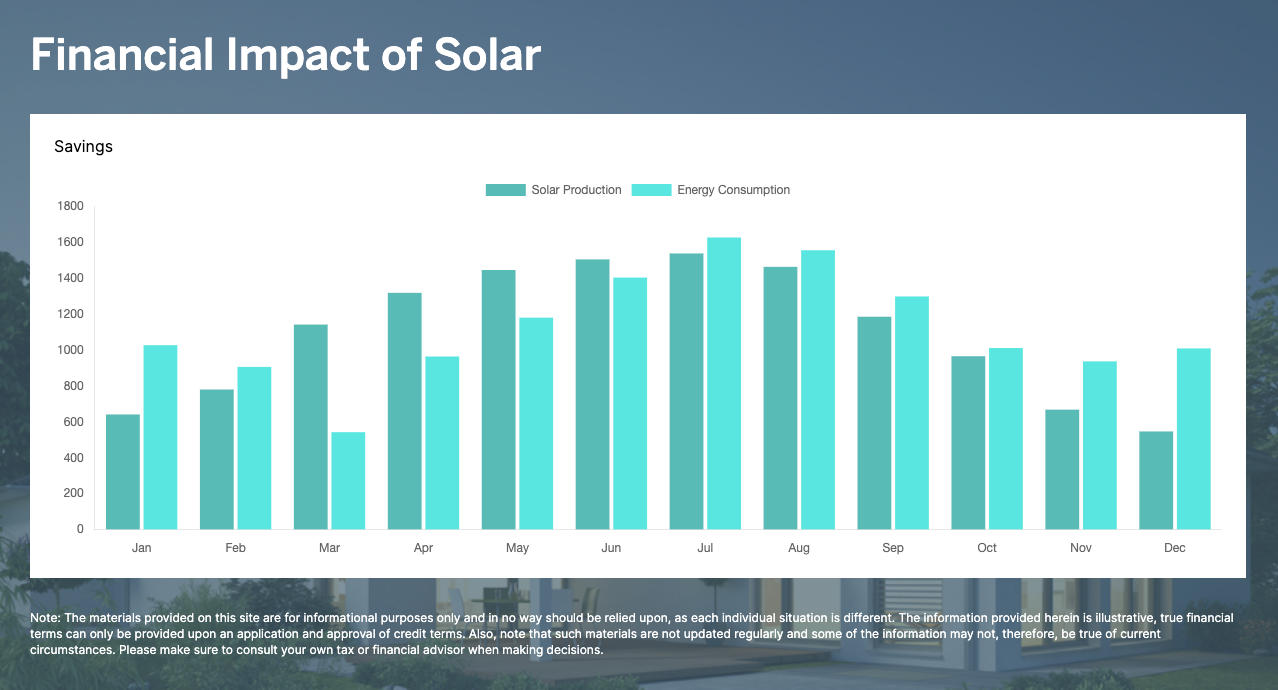
The first job of the battery is to capture excess solar production during the day so it doesn't export to the grid. This is exactly what the utilities want — they're actively penalizing solar export through NEM 3.0 and pushing rates for exported power down to near zero. Batteries are what make a solar system actually work in California today. Without them, you're giving power away for almost nothing.
Power the Home Through Peak Hours
California utilities (SCE, SDGE, PGE) all have time-of-use (TOU) rates that spike in the late afternoon and evening — exactly when solar production drops off. Stored battery power lets the home avoid buying expensive peak electricity. This is where customers see real savings on their utility bill.
Grid Support When the Utility Needs It
Beyond just saving the homeowner money, these batteries can be called upon by the grid operator to help support the grid at critical times — for example, during heat events when demand spikes or when the grid is stressed. This is what makes it a true Virtual Power Plant. These grid calls are typically short dispatches that are barely noticeable at the home level, but at scale, thousands of batteries acting together can do what a small power plant would.
A Real VPP Is NOT…
- ❌ Draining your batteries into the grid for hours every day
- ❌ Solrite trading on the market with energy you paid for and pocketing the profits without crediting the customer
- ❌ Draining batteries before or during a blackout
200% Max Offset Best Practices
Get Full 12-Month Usage
Your offset will be validated based on matching the month on the uploaded bill. But projections will be more accurate with full 12-month usage from the utility portal.
Match System to Needs
While we allow up to 200% offset, the additional production beyond actual usage doesn't serve the customer well under NEM 3.0 — exported power earns very little. Right-sizing the system to usage is almost always the better call.
Do Not Promise "No More Bills"
The offset percentage is based on annual production numbers — not monthly. Even when a system may fully offset a home's usage annually, monthly bills will still fluctuate. Most customers will still see some utility charges most months of the year.
Do Not Size a System to Charge an EV
All three California utilities — SCE, SDGE, and PGE — offer EV rate plans that give customers a significantly cheaper rate to charge their car overnight, when grid power is inexpensive. Sizing a solar system to cover EV charging is almost always the wrong approach. Here's why:
- The extra panels produce power during the day when the customer isn't driving — that power fills the battery and then spills to the grid at NEM 3.0 export rates, which are very low. They've essentially given away that energy for almost nothing.
- At night, an EV battery is anywhere from 2–5 times larger than the solar battery. The home battery runs out quickly, and the customer ends up buying a large amount of grid power anyway.
- The EV rate plan already gives them cheap overnight charging — adding panels to try to cover that just creates more daytime waste without solving the nighttime need.
The better answer is to right-size the solar system to the home's actual usage and let the EV charge affordably on the utility's overnight EV plan.
Battery Backup Included
🔋 How to Explain Battery Backup to Customers
Explain that batteries are included in the price — not free. The cost of the batteries is covered by the tax credit and utility company payments from participation in the VPP. These batteries are fully owned and actively managed in the VPP, and Solrite is able to capitalize more on their use when we fully control the battery. This means that Solrite controls the backup reserve percentages, emergency backup mode for storms, etc. — the customer will not be altering settings.
2.9% Escalator
📈 How to Explain the Annual Escalator
Explain that the monthly price will increase by 2.9% each year. This is not a conditional increase — it will happen every year. The purpose of the escalator is to allow our prices to start out much lower and then keep up with inflation, rather than charging a much higher fixed rate from the start.
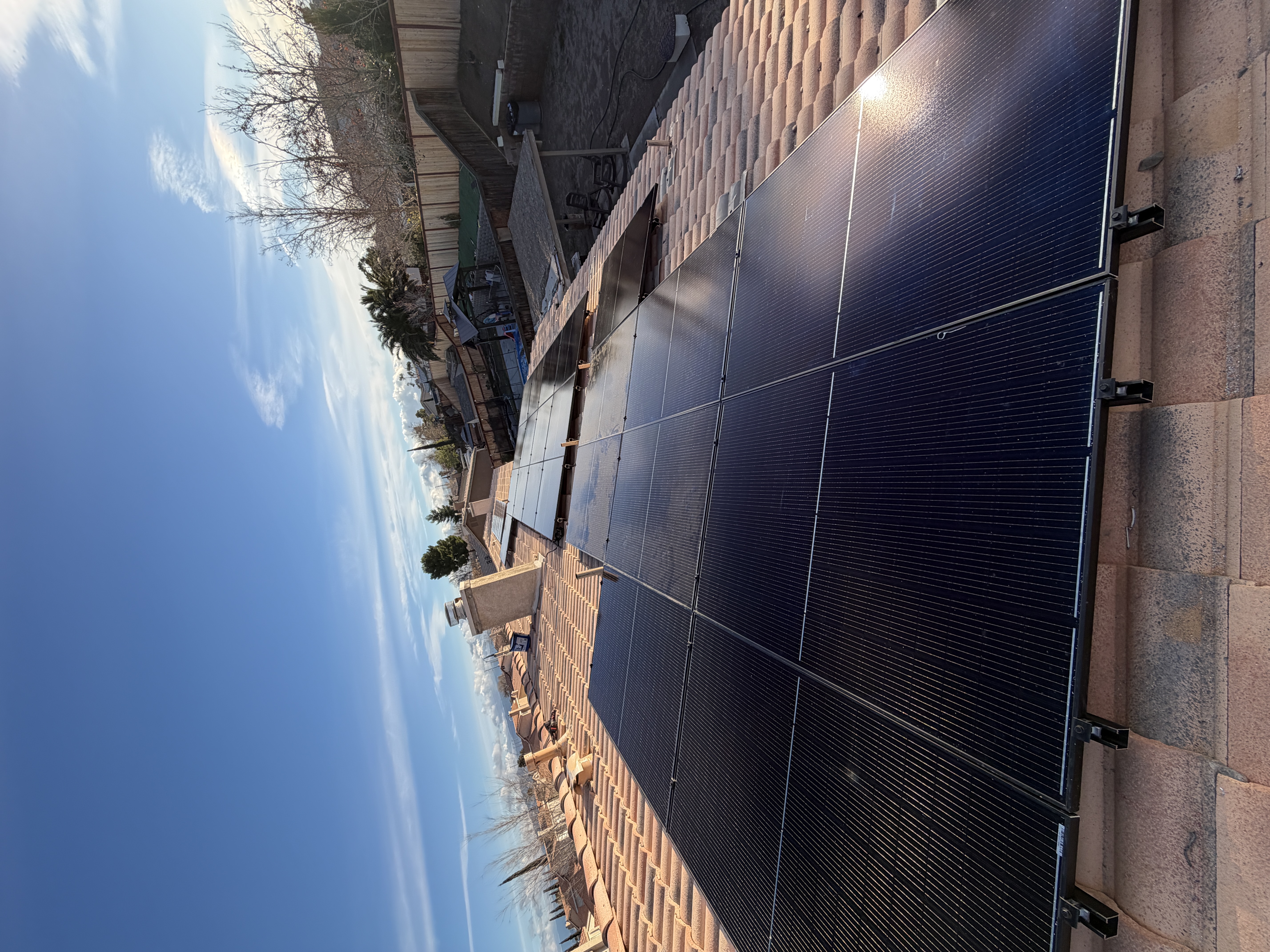
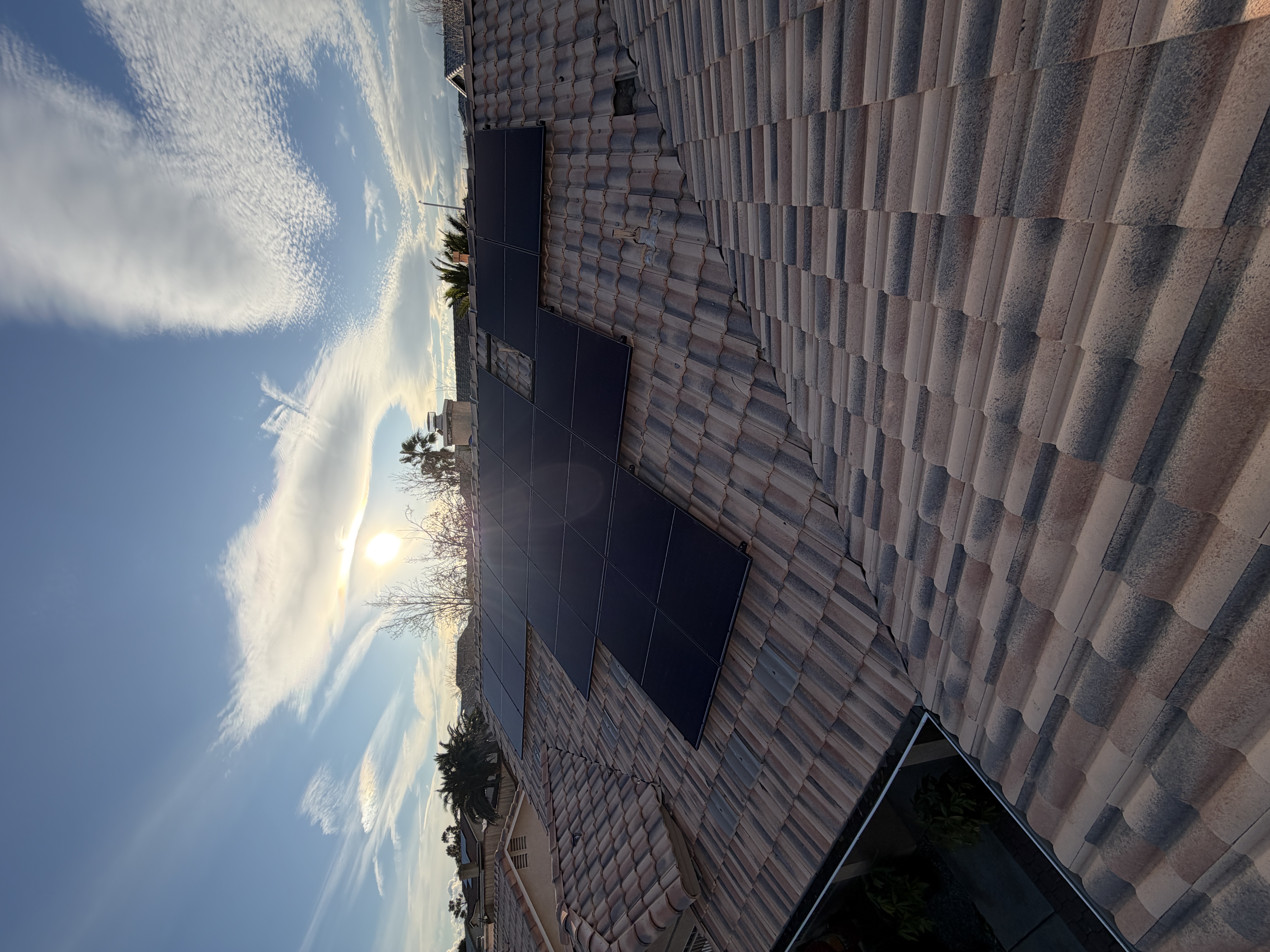
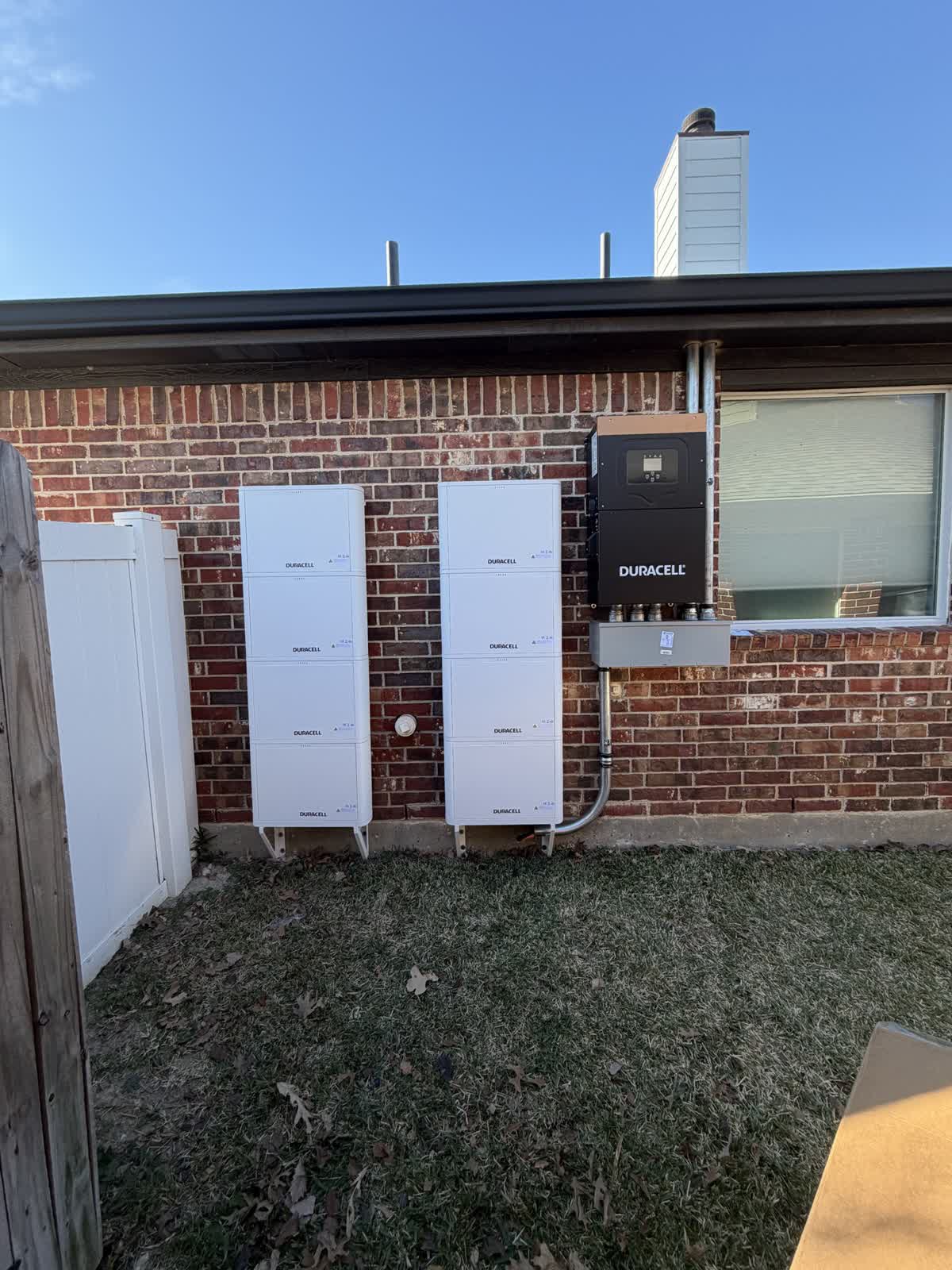
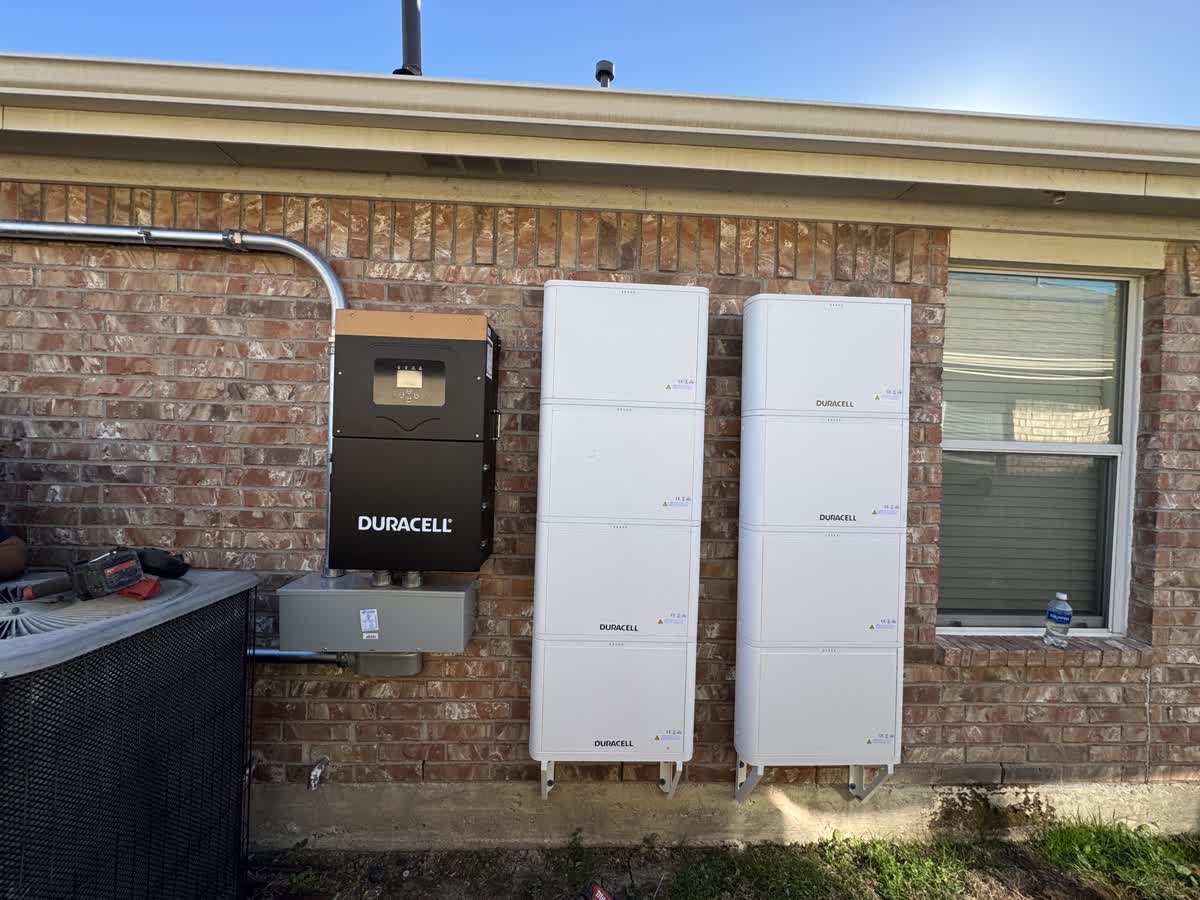
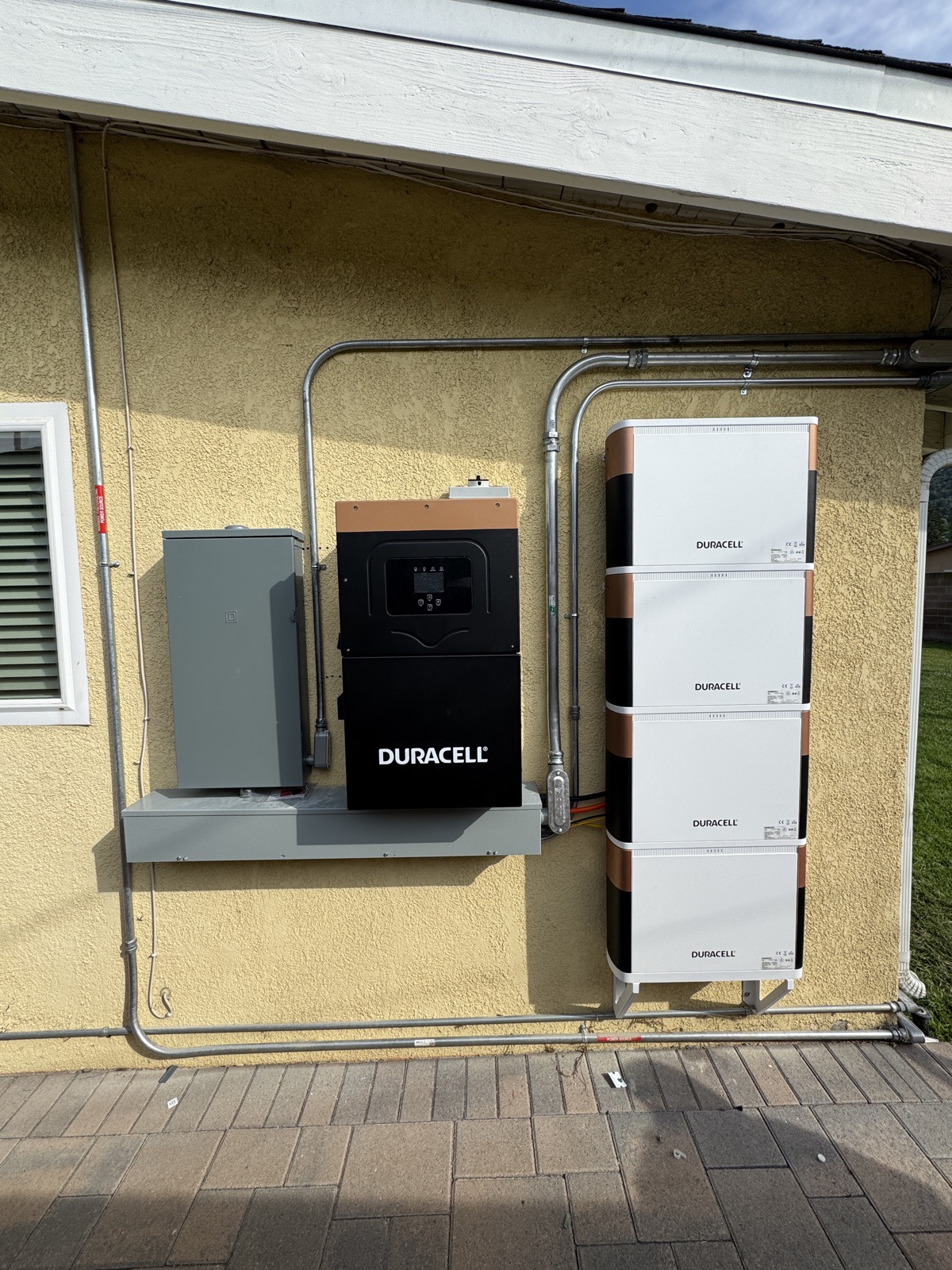
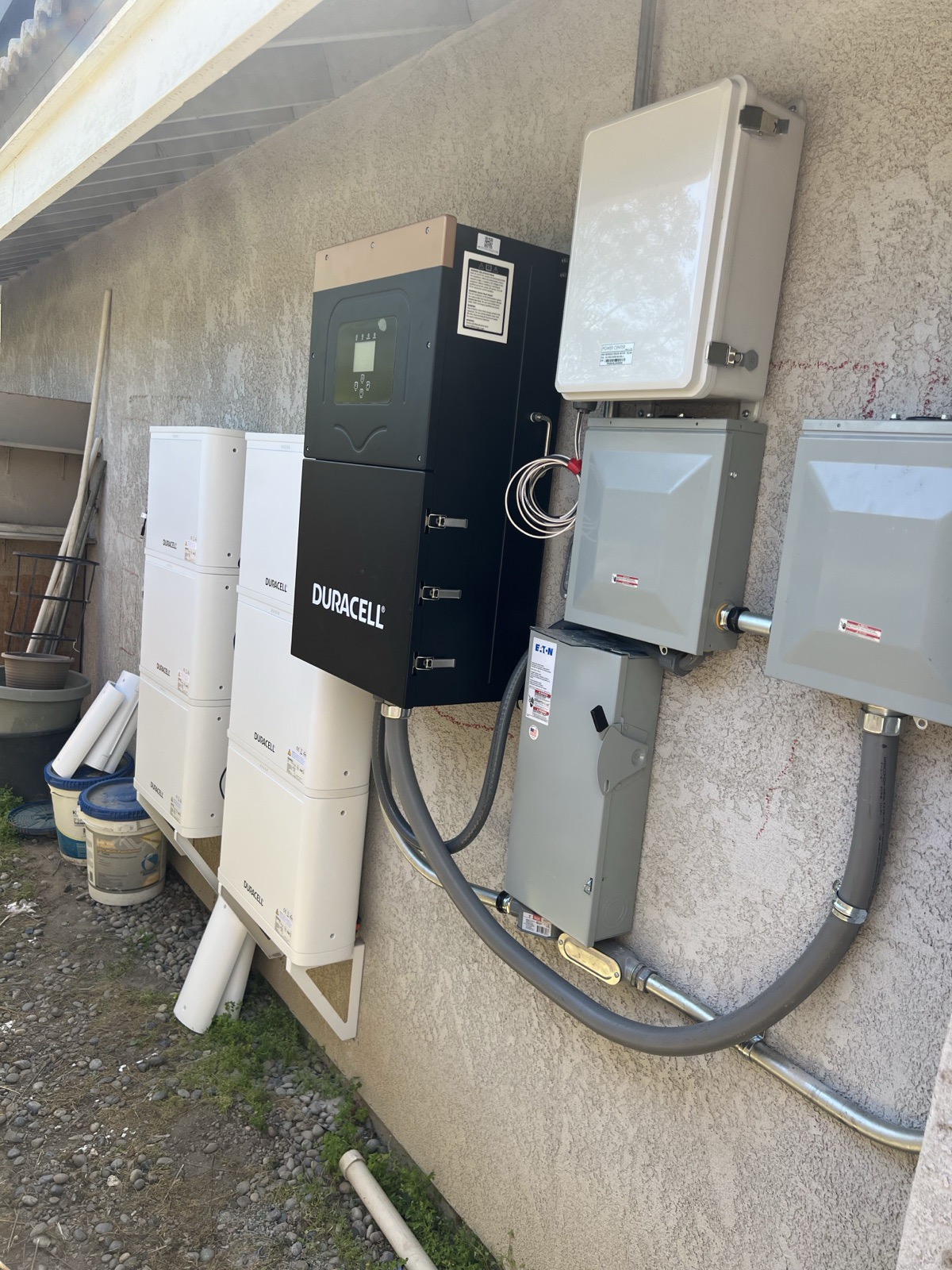
Sample Install Photos
☀️ Solar
🔋 Batteries
Frequently Asked Questions
📐 System Sizing
Minimum system size: 8.00 kW. California uses an exact battery reservoir requirement based on system size. Battery selection depends on the required kWh capacity.
| System Size | Required Battery Reservoir | Battery Requirement |
|---|---|---|
| ⚡ Energy Community — California Battery to Solar Ratios | ||
| 8.00 – 9.99 kW | 20 kWh | Duracell or sonnenHome Battery 11 (both can reach this capacity) |
| 10.00 – 12.99 kW | 25 kWh | Must be Duracell |
| 13.00 – 15.99 kW | 30 kWh | Must be Duracell |
| 16.00 – 19.99 kW | 40 kWh | Must be Duracell |
| 20.00 – 24.00 kW | 45 kWh | Must be Duracell |
Equipment Spec Sheets:
📄 UCC-1 Filing — "Can you take my house?"
This comes up at the table constantly. Homeowners see the words "lien" and "filing" and assume their house is on the line. It is not. Answer it directly and move on, because hedging makes it sound worse than it is.
The one-line answer: a UCC-1 is a lien on the equipment, not on the home. It says the solar system and battery belong to us while you use them. It gives us no claim on the house, the land, or the equity.
| What it DOES | What it does NOT do |
|---|---|
| Puts a public notice on the panels, battery, and inverter | It is not a mortgage or a lien on the property |
| Keeps the equipment legally separate from the house | We cannot foreclose. There is no legal path to the home. |
| Protects both sides if the property changes hands | It does not affect their credit |
If they ask what happens when someone stops paying: be straight, do not soften it. It is a real bill and we expect it to be paid. If payments stop, we shut the system off and the account goes to collections, same as any unpaid bill. What does not happen is us taking the house.
If they ask about selling or refinancing: routine. At closing the agreement either transfers to the buyer or is paid off, and the UCC-1 is released. Title companies handle these every day. Tell them to mention it to their agent early and it is a normal step, not a problem.
Why it exists: we are paying for the system, so there has to be a public record that the equipment is ours while the customer uses it. Without it, the hardware could get treated as part of the house. The filing is what keeps the line clear between their home and our equipment.