Rep Licensing: Required Before You Sell
🪪 Who needs the registration
Anyone who sells or leases a residential solar energy system in Texas needs an individual Residential Solar Salesperson registration from the Texas Department of Licensing and Regulation (TDLR). This is separate from, and in addition to, the company's registration.
- Two registrations exist, and you need both to sell. The Solar Retailer registration covers the business. The Solar Salesperson registration covers you personally. You must be employed by a registered Residential Solar Retailer for your own registration to be valid.
- No exam, no experience requirement. There is no test and no minimum time in the industry.
- TDLR runs a criminal history background check on every applicant. A conviction is not an automatic disqualification. TDLR evaluates it against its published Guidelines for License Applicants with Criminal Convictions.
- The registration is personal to you, and in SubHub it can only live on a single user. Sharing a number across logins is not allowed, so alias cleanup and single-org affiliation matter before 9/1.
📝 How to register, step by step
- 1. Create your TDLR online account. Go to TDLR Online Licensing Services ↗ and choose Register as a New User. Everything after this runs through that account, so use an email you will keep.
- 2. Start the Solar Salesperson application. Direct link: Apply for a new license ↗. Pick Residential Solar Salesperson as the license type.
- 3. Have your personal info ready. Full legal name exactly as it appears on your ID, SSN, date of birth, physical residence address (not a P.O. box), phone, and email. You will also name the registered Solar Retailer that employs you, so have SOLRITE's retailer registration number handy once it is issued.
- 4. Answer the background questions honestly. TDLR pulls criminal history regardless. A disclosed item with an explanation is far better than one they find on their own.
- 5. Pay the fee. $56, non-refundable, paid by card at the end of the online application.
- 6. Watch for your registration number. TDLR emails it once approved. That number is what unlocks selling and what goes into SubHub.
🔢 Add your number to SubHub (this is what unblocks quoting)
Getting the registration is only half of it. SOLRITE enforces compliance through SubHub, and the system reads your profile, not TDLR's database.
- Once TDLR approves you, log into SubHub and add your registration number to your user profile under the HIS license field. Reference doc: "Adding HIS License for TX Users."
- Effective 9/1/2026, SubHub will not allow a quote to be finalized for any user without an HIS license number logged in the portal. No number means no sale.
- A license number can only exist on one SubHub user. If you have duplicate or alias logins, get them consolidated before 9/1 or the number will not attach where you need it.
- Sales leaders: audit your roster now. Every rep who will write a Texas deal after 9/1 needs an applied-for registration and a clean single SubHub login.
📋 New Texas selling rules that come with SB 1036
- Residential Solar Brochure, 24 hours in advance. The TDLR brochure must be in the customer's hands at least 24 hours before the appointment. Build it into canvassing and setting. On a setter/closer model, the setter delivers it before the closer's appointment.
- Disclosure form before signature. A formal disclosure form must be completed and given to the customer before they sign. SOLRITE has built this into the contract packet: it generates from the standard button in SubHub and is signed by the rep and the customer before the SOLRITE Agreement generates.
- Customers 65 and older must get a paper copy of the disclosure form. Bring a printed copy to the appointment as a leave behind, then scan or photograph the signed physical copy for the file. That photo is your defense if a complaint comes later.
- Underwriting is checking the timestamps. SOLRITE's underwriting team reviews disclosure form timestamps and details as part of the Customer Agreement task in the Finance Portal. Backdating or same-minute delivery will get flagged.
- Hard copies on request. Texas requires a physical copy of the agreement to any customer who asks. Send those requests to [email protected] and SOLRITE will fulfill them within the required timeframe.
- Grace period on two rules only. TDLR has suspended enforcement of §71.41 (Contract Disclosures) and §71.43 (Educational Materials) until November 1, 2026. The registration requirement itself is not delayed, and SOLRITE is holding to the full process now anyway.
⏱ Renewal, fees, and the company side
- Salesperson registration: $56, valid one year from the date of issuance, renewed annually. Calendar your expiration. An expired registration means you cannot sell, and SubHub will stop you.
- Retailer registration: $350 non-refundable, also renewed yearly. This is the company's, not yours.
- Partner organizations must carry a Certificate of Insurance with at least $1M General Liability per occurrence and $2M aggregate, with TDLR listed as certificate holder, and send a current copy to their SOLRITE account manager. Send a fresh copy even if you have already provided one.
- Retailers also designate a record keeper / responsible party and provide owner and controlling person information, and TDLR background checks those individuals.
- Verify any registration at the TDLR license search ↗.
Qualification
📍 Location Qualifications
Must be in an eligible energy community (MAP ↗) or in the DFW/Waco area that was an energy community until last year.
Must receive electric service from one of the following utilities:
- Oncor Electric
- Centerpoint
- American Electric Power (AEP)
- Texas New Mexico Power (TNMP)
🏠 Home Qualifications
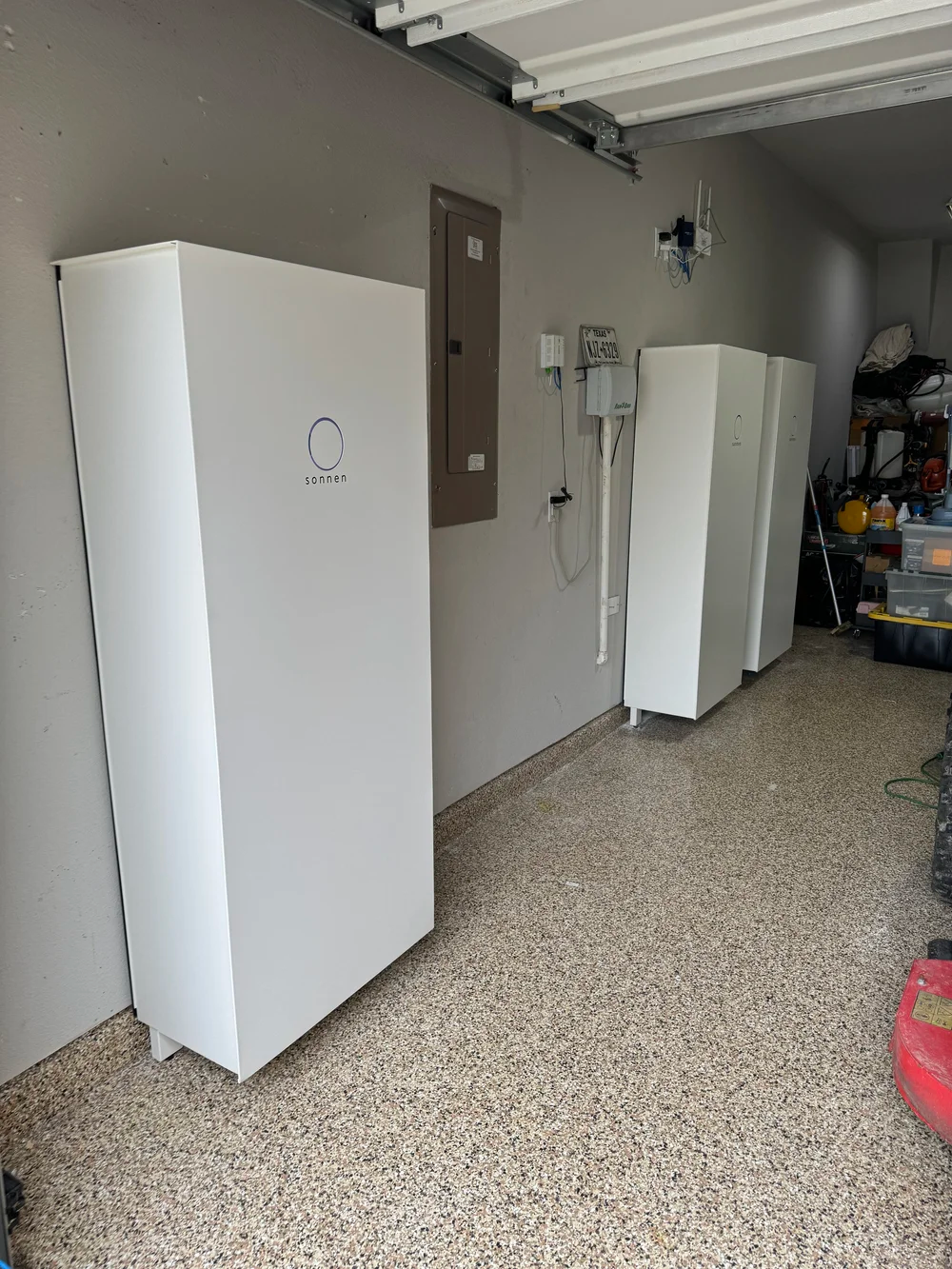
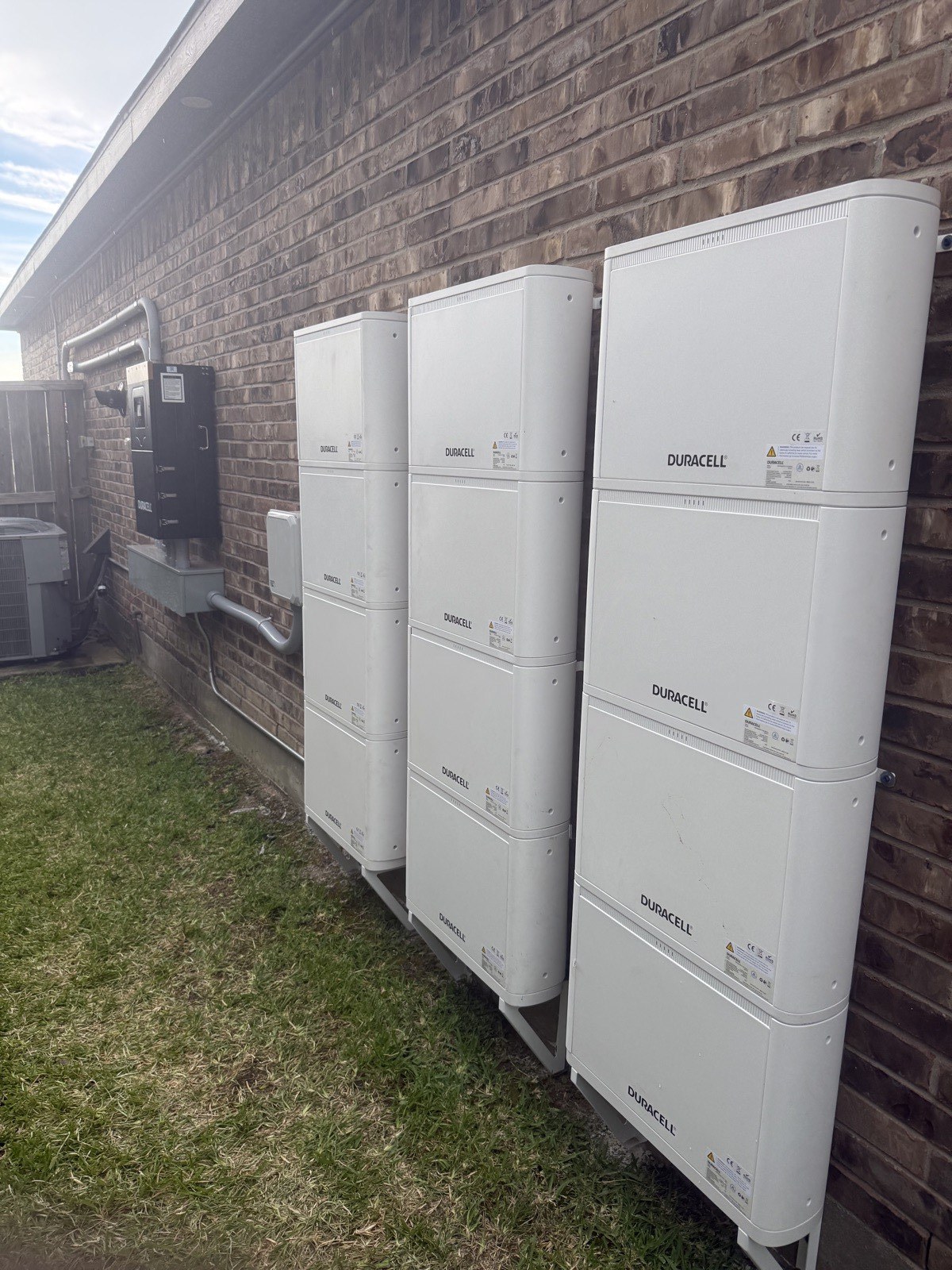
- Ideally has room in a garage for batteries. Most homes will have 3 batteries which take up about 9 feet of wall space.
- Roof needs to have 10 years remaining expected life.
- No manufactured homes.
- Metal roofs okay.
- Residential properties/meters only — no commercial.
- Compatible with generators — see FAQ below.
- No add-on systems.
- No ground mounts.
- No, you can't build a shed for the batteries.
💳 Credit Qualifications
- Homeowner must have 620+ credit with either Transunion or Experian.
- No co-signers. Single signer must either be on title, OR be the legal spouse of the person on title (with marriage certificate uploaded).
- LLC, Trust, etc. approved with document uploaded showing that contract signer is owner/executor of the Trust or LLC.
System Sizing
| System Size | Base System Size | Battery | Qty |
|---|---|---|---|
| ⚡ Energy Communities | |||
| 8–8.99 kWdc | ✓ 40 kWh | sonnenHome Battery 11 (20kWh) | 2 |
| Duracell Max Hybrid 15kW-40kWh | 1 | ||
| 9–26 kWdc | ✓ 60 kWh | sonnenHome Battery 11 (20kWh) | 3 |
| Duracell Max Hybrid 15kW-60kWh | 1 | ||
| 🏘 Non-Energy Communities | |||
| 10–26 kWdc | ✓ 40 kWh | Duracell Max Hybrid 15kW-40kWh | 1 |
| 10–11.99 kWdc | ✓ 40 kWh | sonnenHome Battery 11 (20kWh) | 2 |
| 12–26 kWdc | ✓ 60 kWh | sonnenHome Battery 11 (20kWh) | 3 |
Equipment Spec Sheets:
Complete Contract Items
✅ Signed Agreement
Rule 1 — Name must match title exactly:
The name of the customer must match the name on title and must be a complete name.
- ❌ Customer name is Franklin Jones, signs contract as Frank Jones
- ❌ Title says "P RODRIGUEZ" so rep clicks "Replace" but the full name was Pedro Rodriguez
Rule 2 — Customer must sign with their own name:
Browsers sometimes have initials or signatures saved from other people. Verify the customer is signing as themselves.
- ❌ Customer John Smith signs with the initials RG
- ❌ Customer John Smith signs with signature "Mary Smith"
✅ Verification Call
The purpose of the video welcome call is to make sure the customer understands the key terms of the agreement on their own — in case they have a dispute or issue with the contract later on. Customer must answer questions verbally and without anyone else talking during the call.
Common Rejections:
- ❌ Someone is talking to the customer during the call, answering questions or telling them what to say
- ❌ Customer is distracted or not verbally answering the questions so we can't tell whether they are actually understanding what's being asked
✅ Billing Profile
Customer must connect a valid payment method through Stripe.
Please stay in the home or on the phone with the customer until you can see that an account or card has been successfully linked to Solrite.
Common Rejection:
- ❌ Customer stops the Stripe process on the "Success" screen before clicking "Return to Solrite" to connect the account to their Solrite billing profile
✅ Utility Bill
We need a full utility bill that includes ALL of the following:
- Account number
- ESIID
- Meter Number
- Customer name and address
- Usage
- Bill must be less than 3 months old
Common Rejections:
- ❌ Only one page or partial bill uploaded
- ❌ Link or blurry photo uploaded rather than full PDF
- ❌ Bill is older than 3 months
✅ Title Verification
The name on the contract must match the name on the property title. If the names don't match, the rep must upload documents showing the connection between the person who signed and the name on title.
Accepted Title Documents: SubcontractorHub checks title automatically against public property records, and a match passes straight through to Solrite. If it does not match, upload any one of the following:
- ✅ Third-party title report
- ✅ Current mortgage statement (dated within the last 2 months)
- ✅ Recorded deed: Grant Deed, Warranty Deed, or a similar legal document recorded with the registry of land records
- ✅ New build: evidence of home purchase at the contracted address in the Solrite customer’s name
- ✅ Recently closed sale: closing documents showing the homeowner name and the property address
Common Rejections:
- ❌ Name on title doesn't match the contract and no supporting documents uploaded
- ❌ Title is held by a trust or LLC but nothing is uploaded showing the signer owns the LLC or is a trustee of the trust
How Does a VPP Actually Work?
Understanding the layers of a real Virtual Power Plant
Levels of a Real VPP
Stop Solar Export
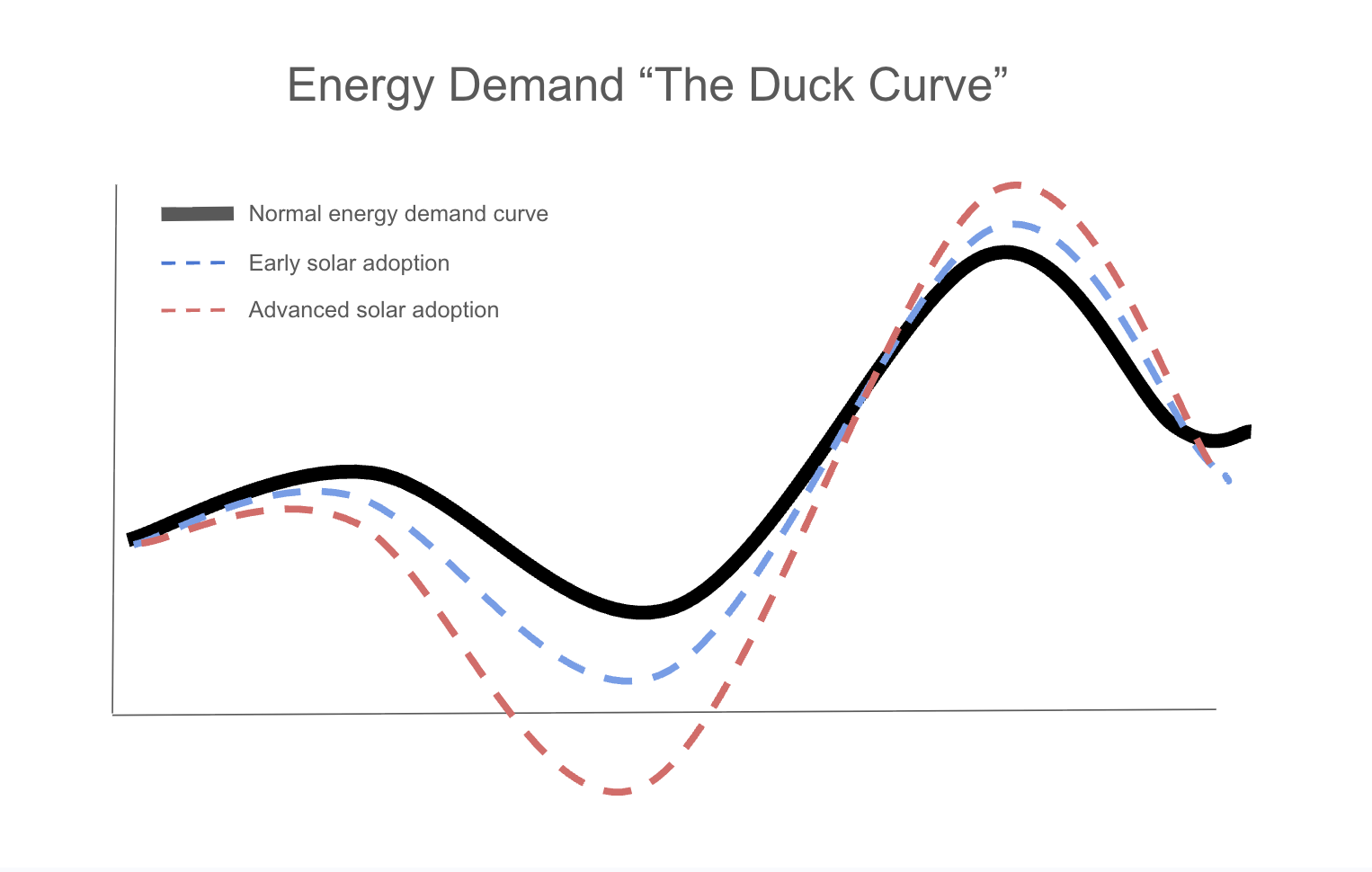
Extra solar power during the day is worthless to the grid and is often run into the ground because there is too much power for the grid to handle. This is why net metering plans are all starting to go away and will eventually disappear in every utility as solar adoption grows. The first and most basic use of the batteries is to capture the excess energy from the solar system during the day so it doesn't go back to the grid — already helping the grid avoid taking in too much power during the day.
Limit Peak Usage
The most expensive time of the day for energy is in the afternoon/evening hours. Since the home will have excess daytime solar energy stored in the batteries, the home can use this energy in the evening, freeing up more of that peak energy for other homes. This helps utilities better manage their production.
Grid Charge and Discharge
With a 60kWh reservoir, the solar system will rarely completely charge the batteries. This leaves additional reservoir that we can flex for the VPP. We charge the remainder of the battery from the grid when power is cheapest. If the home ends up needing more power than the solar produced on any given day, it can use battery power instead of buying from the retailer at peak prices — this is what allows our retail partners to give customers a discounted rate. Any power unused can be sold back to the grid when prices are higher, helping the retailer generate additional revenues. We credit customers back for any power sold to the grid.
Additional Grid Services
The Solrite VPP is capable of over a dozen additional grid services that help support the grid and generate additional revenue for retailers. These services are barely noticeable at the home because they are quick dispatches (30 seconds – 5 minutes) and mostly focused on electrical signals rather than simply draining the reservoir. These services are only possible because of the advanced grid-services engineering built into our sonnen and Duracell battery systems — this is what constitutes a "real VPP."
A Real VPP Is NOT…
- ❌ Draining your batteries into the grid for hours every day
- ❌ Solrite trading on the market with energy you paid for (through solar or grid charging) and pocketing the profits without crediting the customer
- ❌ Draining batteries before or during a blackout
Protective Backup Power Action
When severe weather is forecast, the Solrite and sonnen VPP operations team does the opposite of draining batteries — it moves the entire Texas fleet into full-protection mode. Daily cycling and all VPP participation are paused, excess solar is held instead of self-consumed, and the system triggers a short grid charge so batteries sit at 100% before the storm arrives. That stored energy is held for the customer's backup use for the duration of the weather event.
This is the single best answer to the "won't you drain my battery when I need it most?" objection — it is documented, automatic, and has already been run on the live Texas fleet. The letter below went to Texas homeowners ahead of the January 23–25, 2026 winter storm.
Reference Documents:
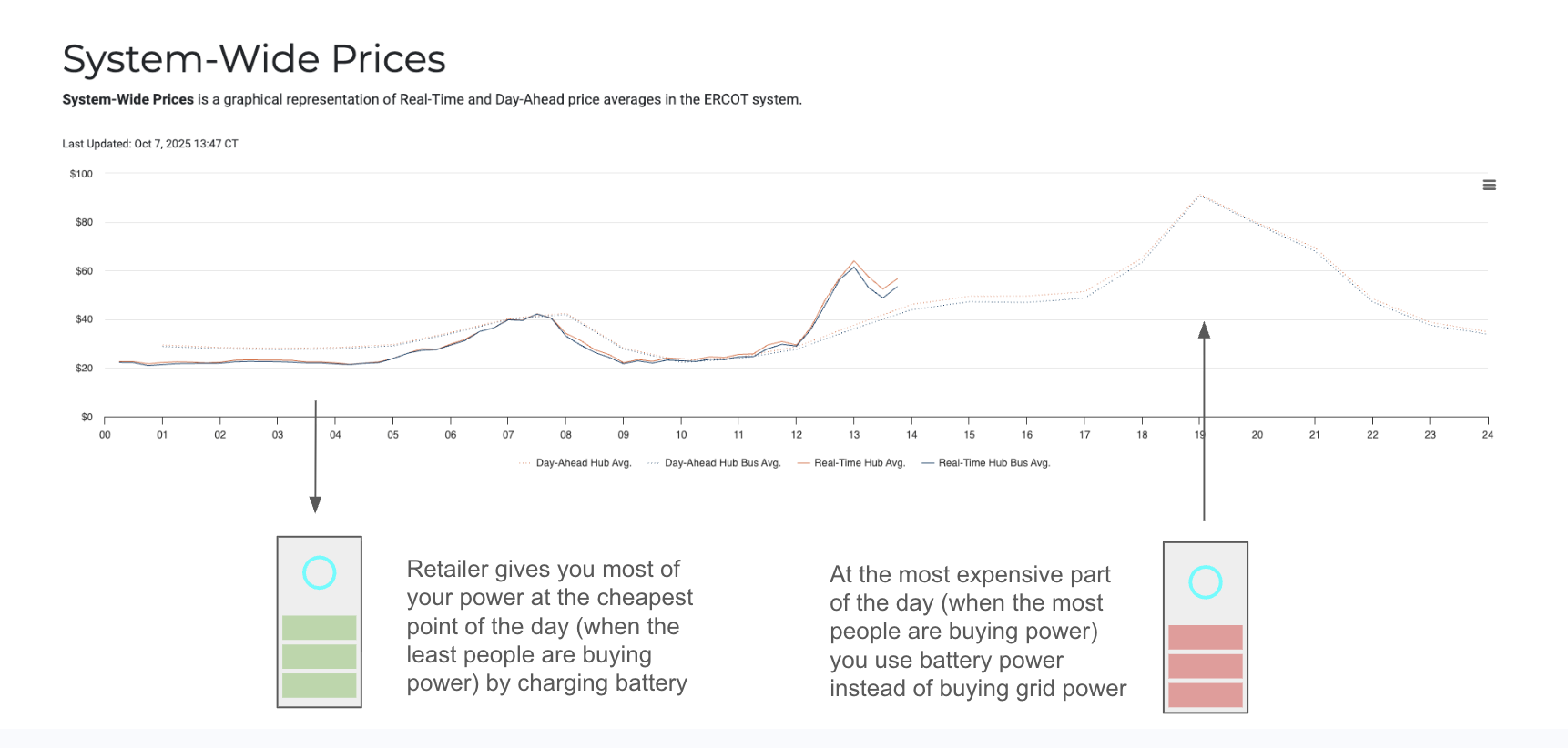
Retailers can use additional reservoir in the batteries to buy power when grid prices are low. This will primarily serve to provide your home with retail power at a cheaper rate but any unused power can be sold back to the grid when prices are higher.
120% Max Offset Best Practices
Get Full 12-Month Usage from Smart Meter Texas
Your offset will be validated based on matching the month on the uploaded bill. But projections will be more accurate with full 12-month usage.
Match System to Needs
While we do allow up to 120% offset, the additional production is not needed when homes have the right size batteries for a VPP. For the purposes of the VPP, lower offset is more efficient.
Do Not Promise "No More Bills"
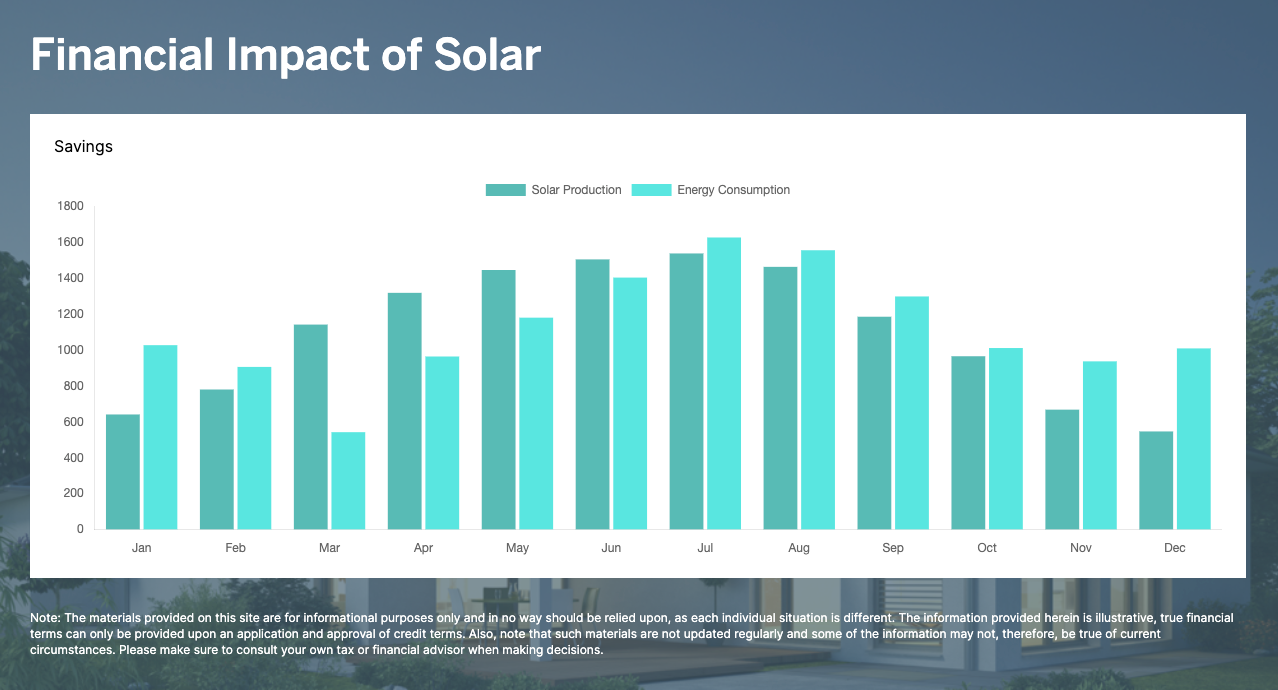
The offset percentage is based on annual production numbers — not monthly. Even when a system may fully offset a home's usage annually, monthly bills with the REP will still fluctuate. Most people will still have small bills most months of the year.
Monitoring Examples
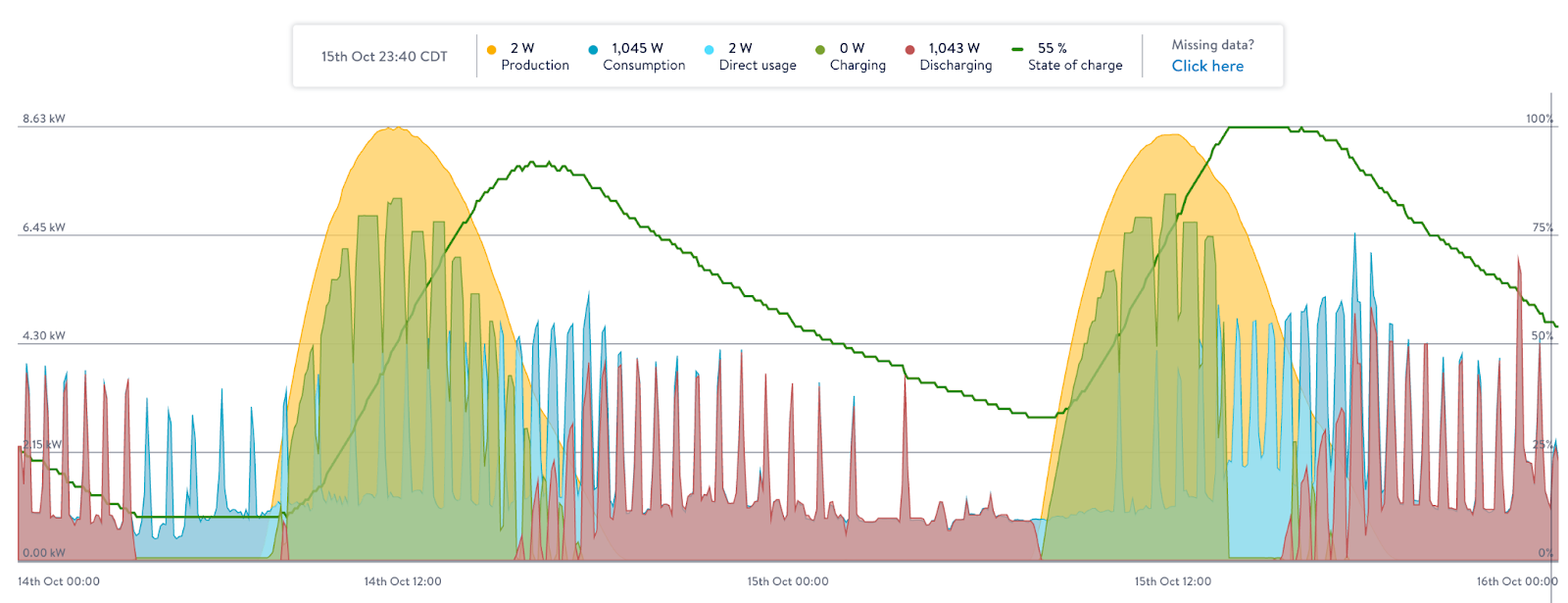
Example 1: Usage was very low during the day so the battery went from 10% to fully charged before the sun went down. With higher nighttime usage, the battery only made it until about midnight. The next day the sun was not as strong, but still enough to almost fully charge the battery and get through most of the night.
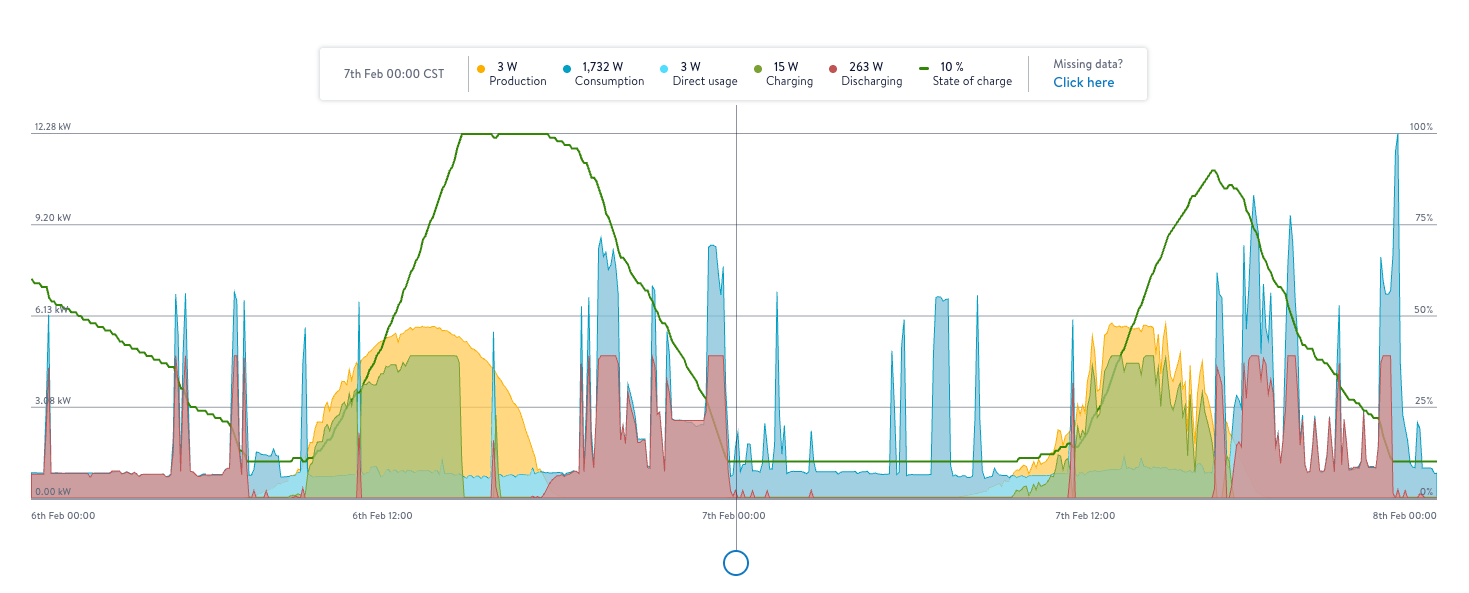
Example 2: The battery was already at 10% minimum before the sun came up. The solar did not fully charge the battery but it was enough to get through the whole night and still had some juice by the time the sun came up. The next day the battery filled up completely before the sun went down.
Battery Backup Included
🔋 How to Explain Battery Backup to Customers
Explain that batteries are included in the price — not free. The cost of the batteries is covered by the tax credit and utility company payments from participation in the VPP. These batteries are fully owned and actively managed in the VPP, and Solrite is able to capitalize more on their use when we fully control the battery. This means that Solrite controls the backup reserve percentages, emergency backup mode for storms, etc. — the customer will not be altering settings.
2.9% Escalator
📈 How to Explain the Annual Escalator
Explain that the monthly price will increase by 2.9% each year. This is not a conditional increase — it will happen every year. The purpose of the escalator is to allow our prices to start out much lower and then keep up with inflation, rather than charging a much higher fixed rate from the start.
Solrite-Approved Retail Electric Provider (REP)
⚡ How the REP Relationship Works
Solrite customers will connect with an approved retail partner for a discounted rate on their retail energy. These contracts will only last 1–3 years like all retail contracts — that means we can't lock in the price.
Our retail partners will always be able to use the batteries to lower their cost and increase their revenues, so they will always be able to offer our customers a lower rate than market average. This is a much better situation than net metering, buyback, or free nights plans — all of which are a loss for the retailer and will not be around after the next couple of years.
Reference Documents:
⚡ How customers get enrolled with Abundance
Enrollment happens after the system is placed in service — not at contract signing, not at install. The customer doesn't need to do anything proactively.
Default path: Once the system is commissioned and producing, Upgrid Energy (Abundance's enrollment partner) will reach out to the customer directly to walk them through signup. Most customers will go through this flow without lifting a finger.
Customer-initiated: If a customer wants to kick things off themselves, they can email [email protected]. That said, nothing happens on Upgrid's side until the system is placed in service — so an early email just sits in queue.
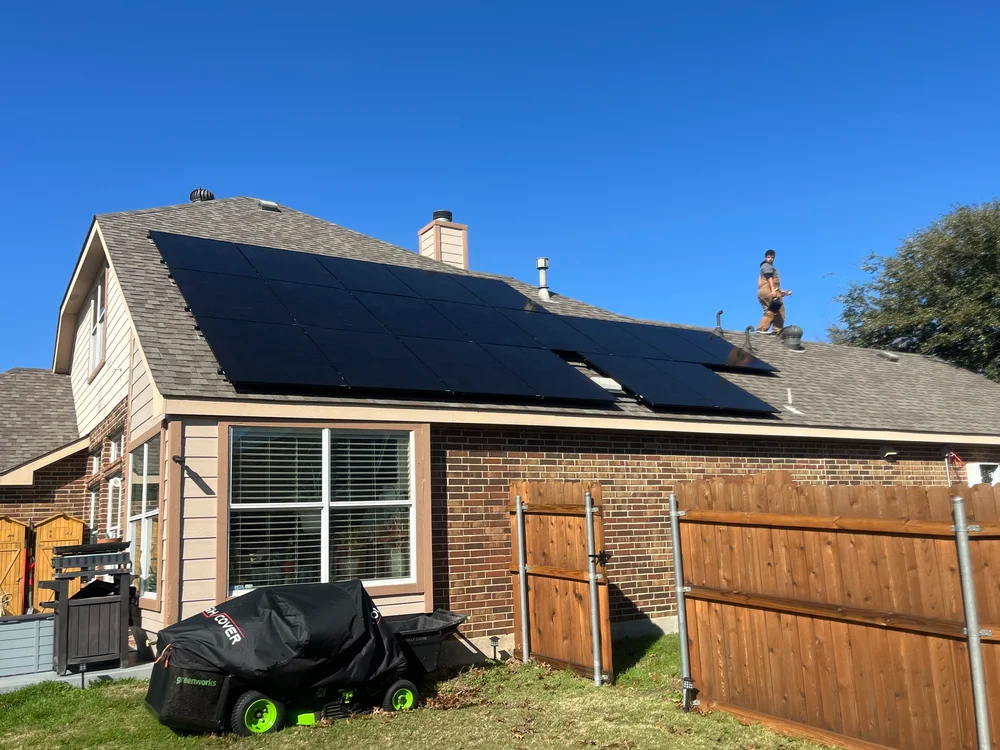
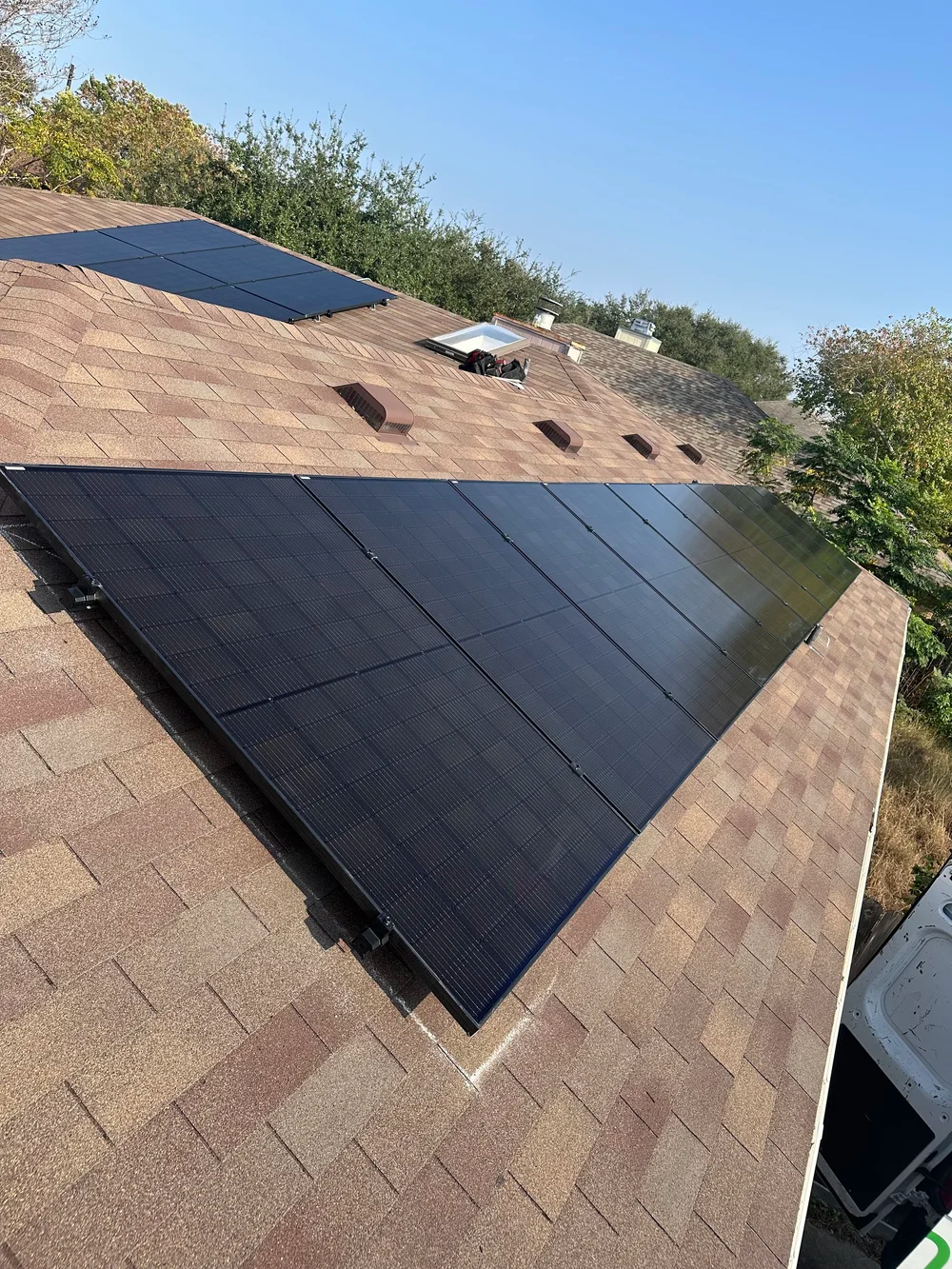
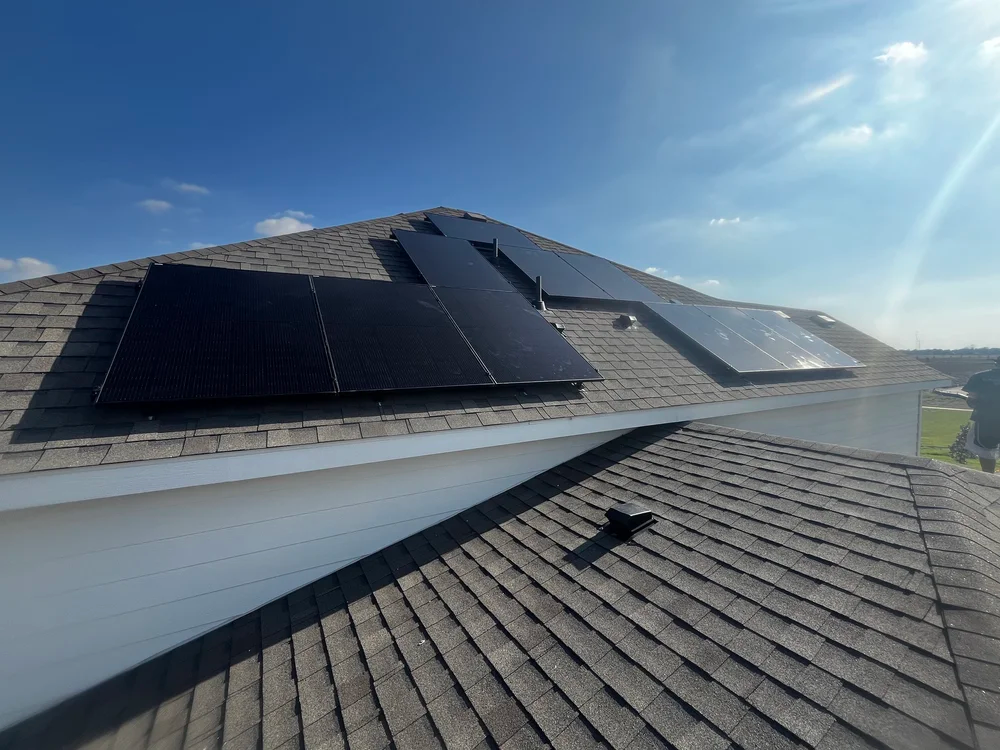
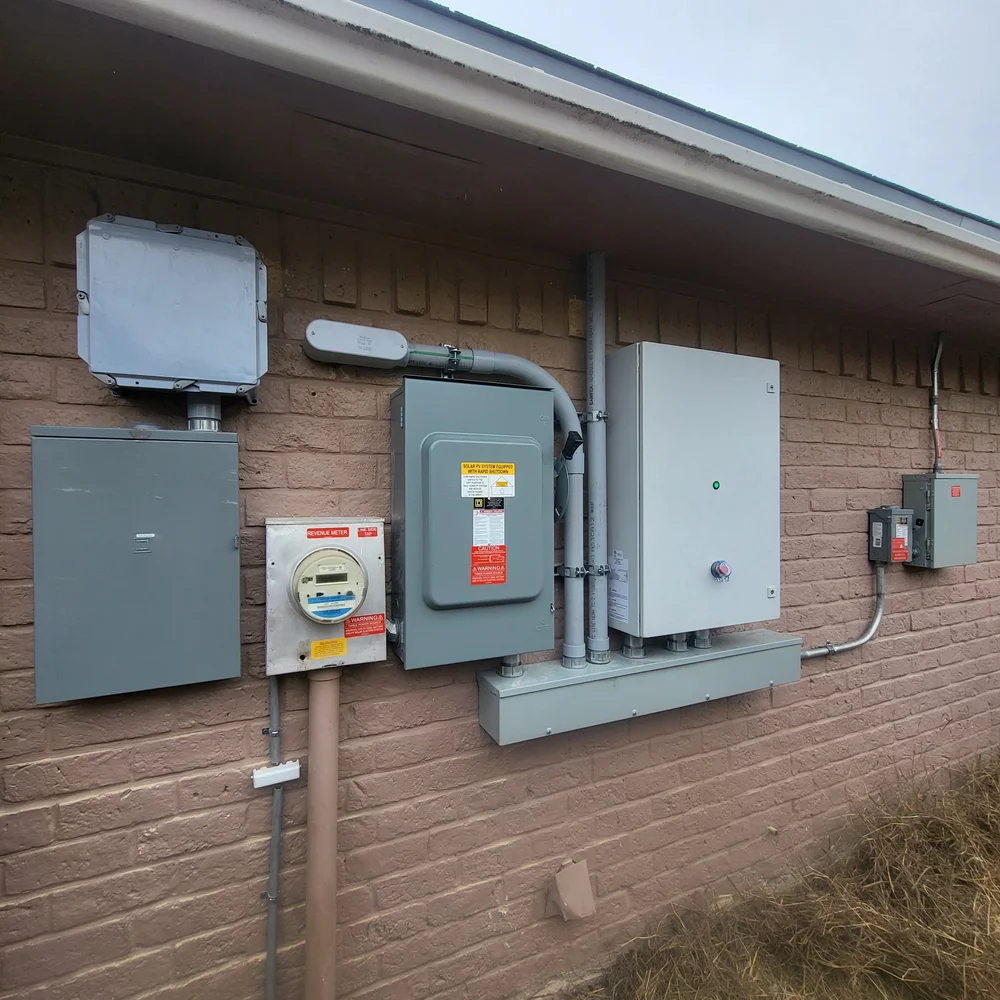
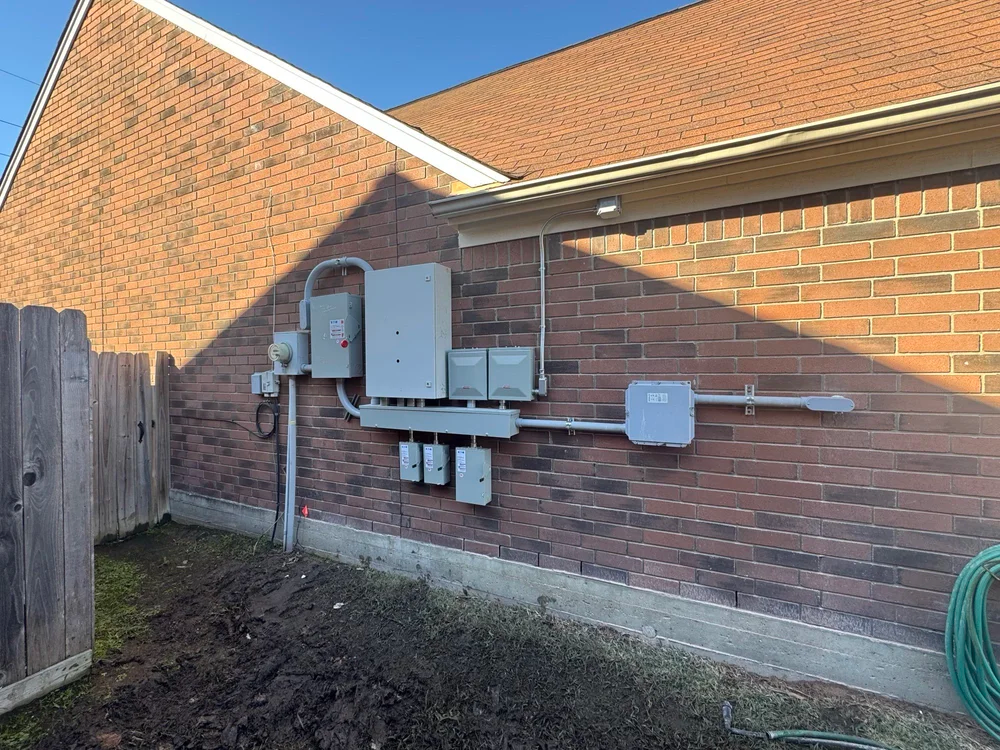
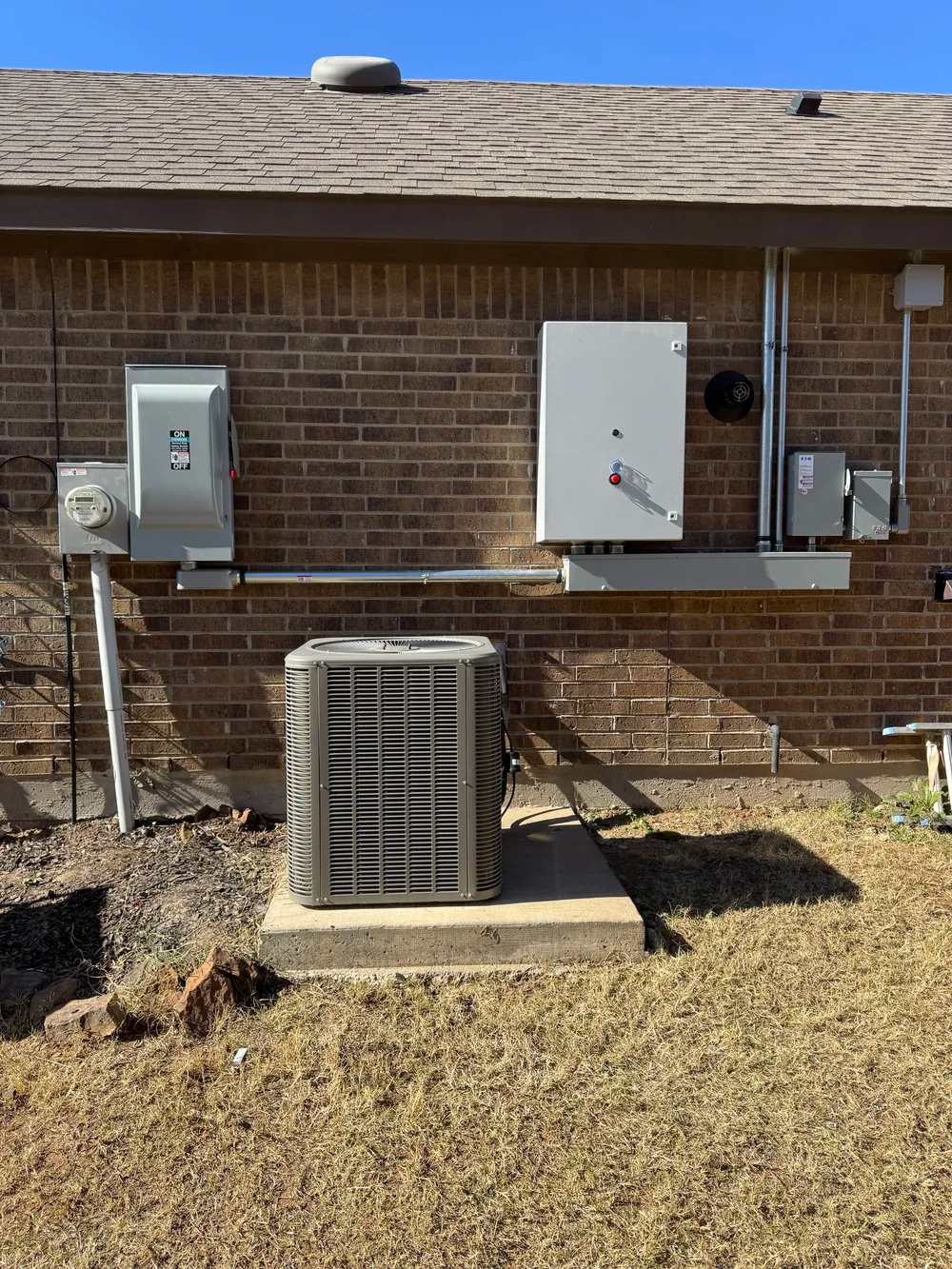
Sample Install Photos
☀️ Solar
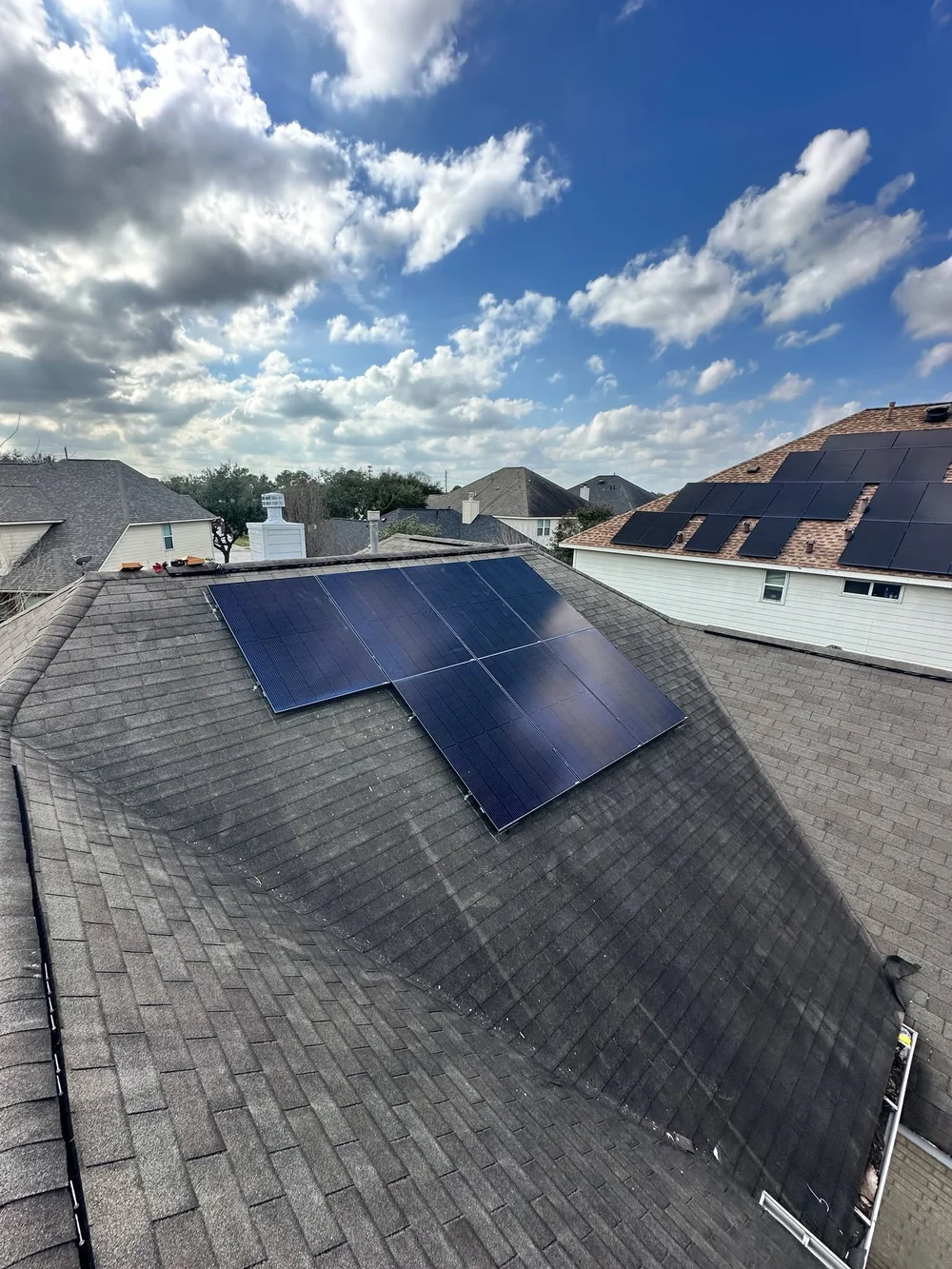
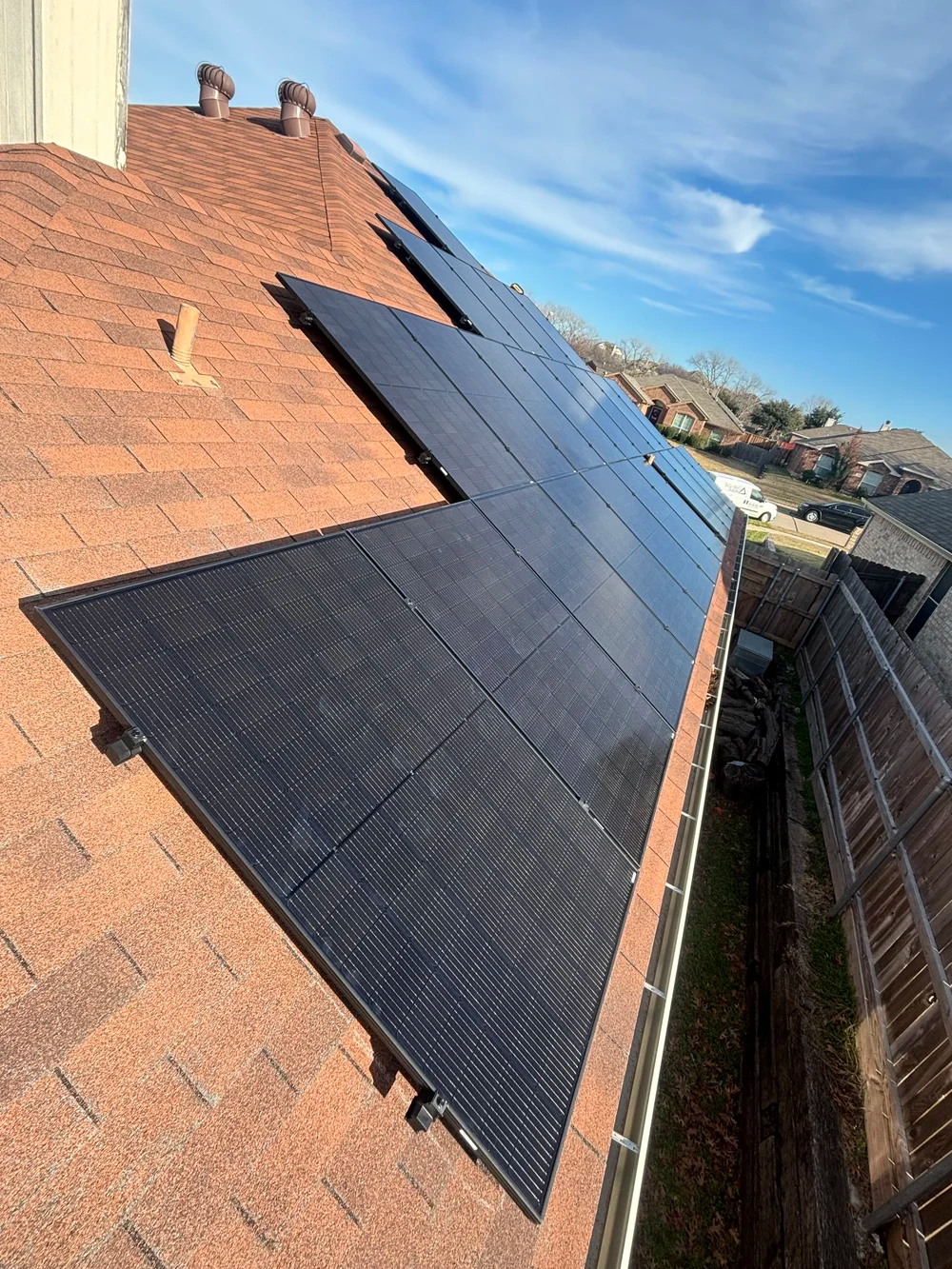
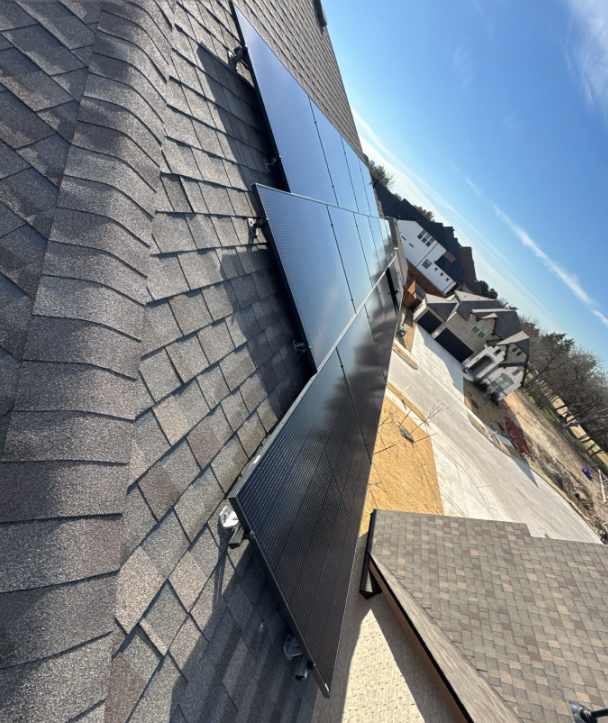
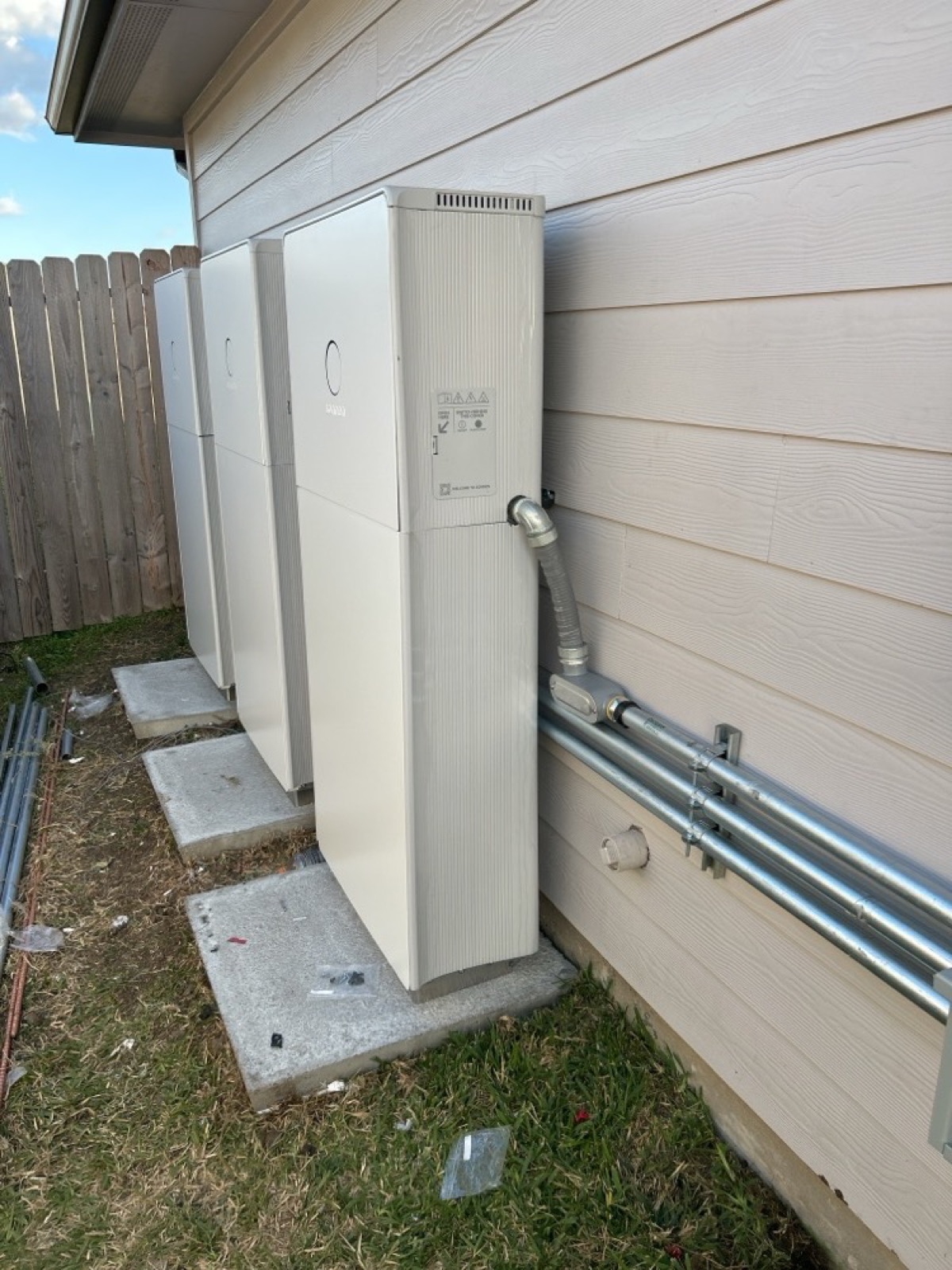
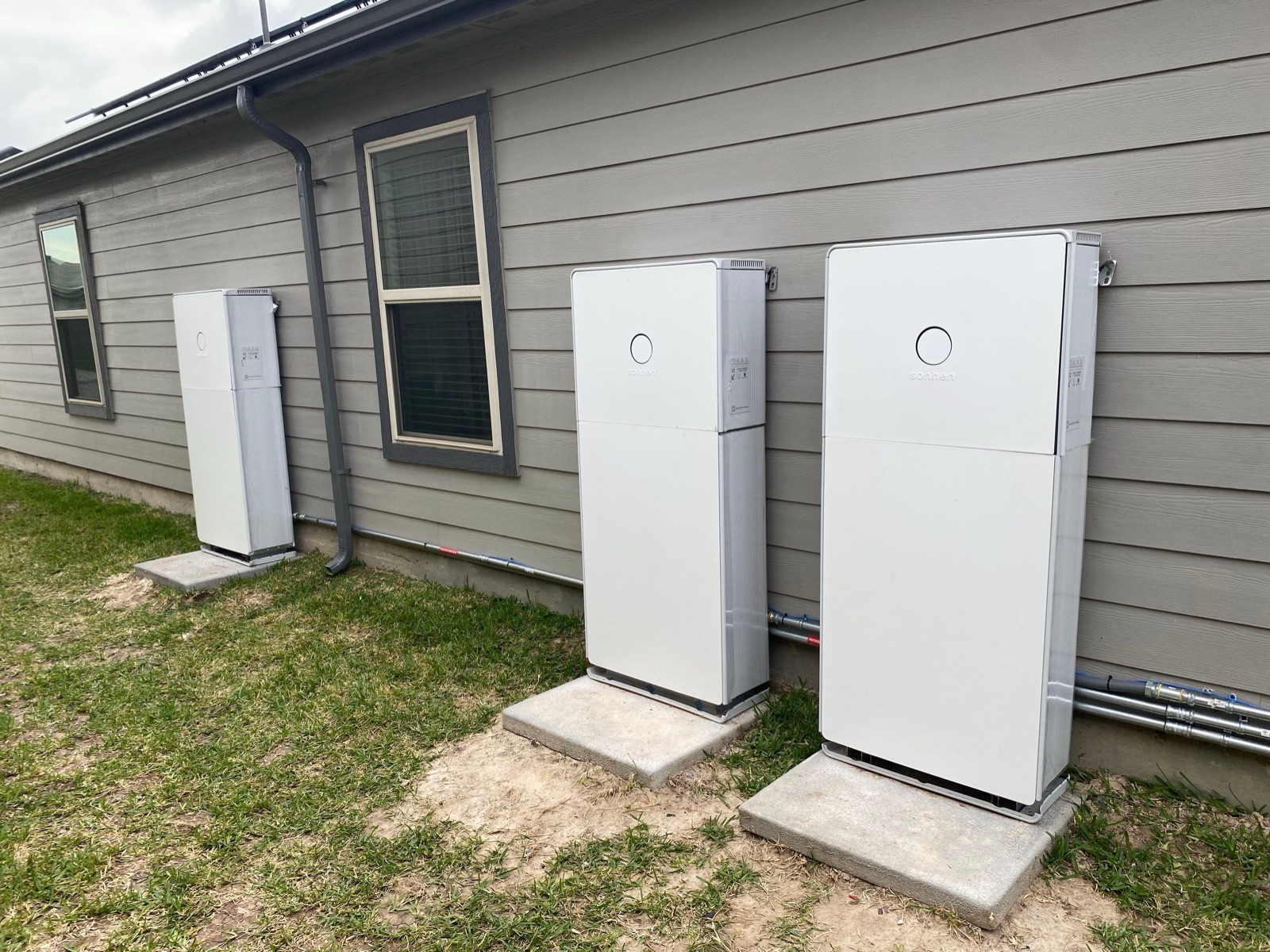
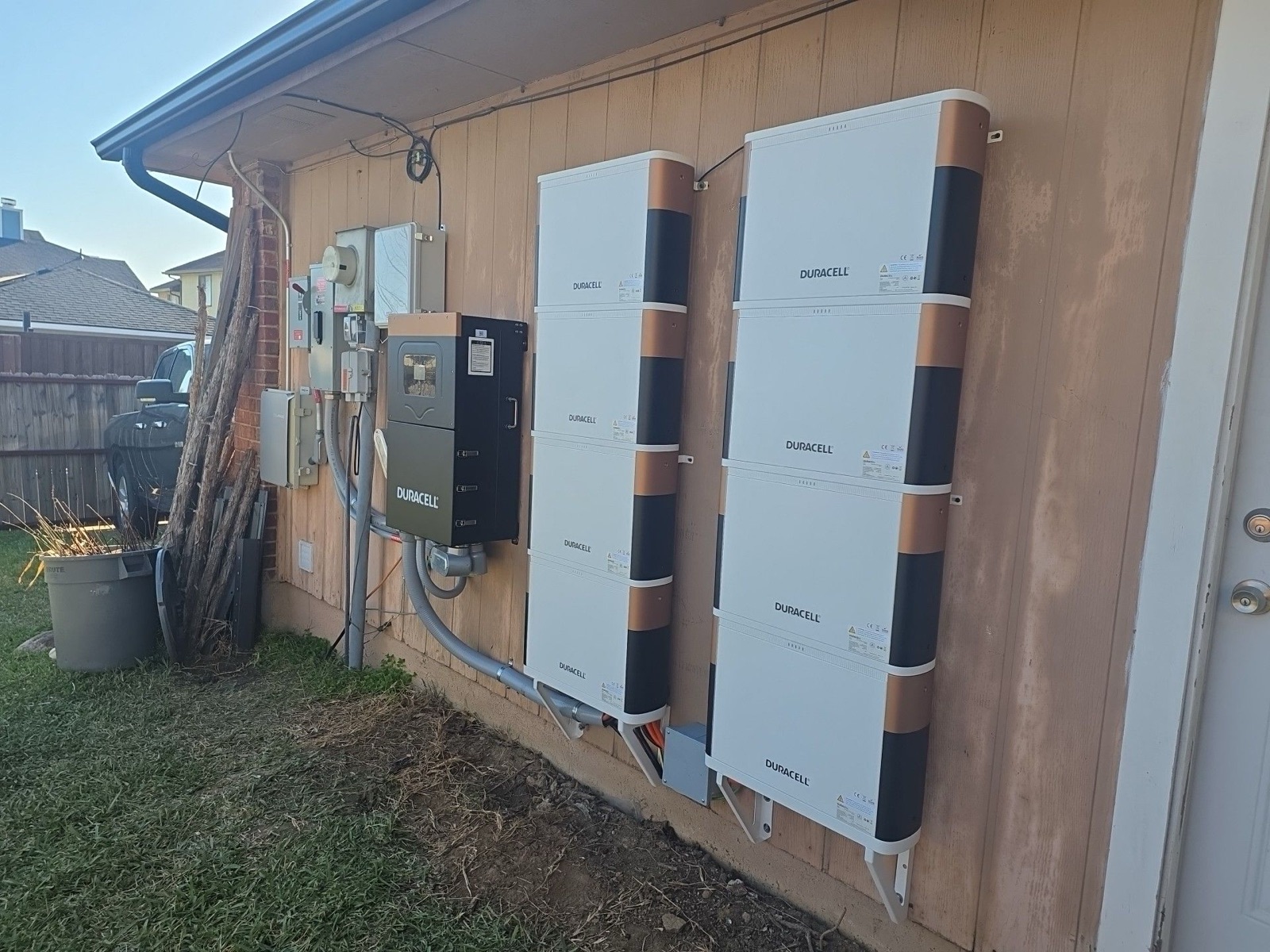
🔋 Batteries
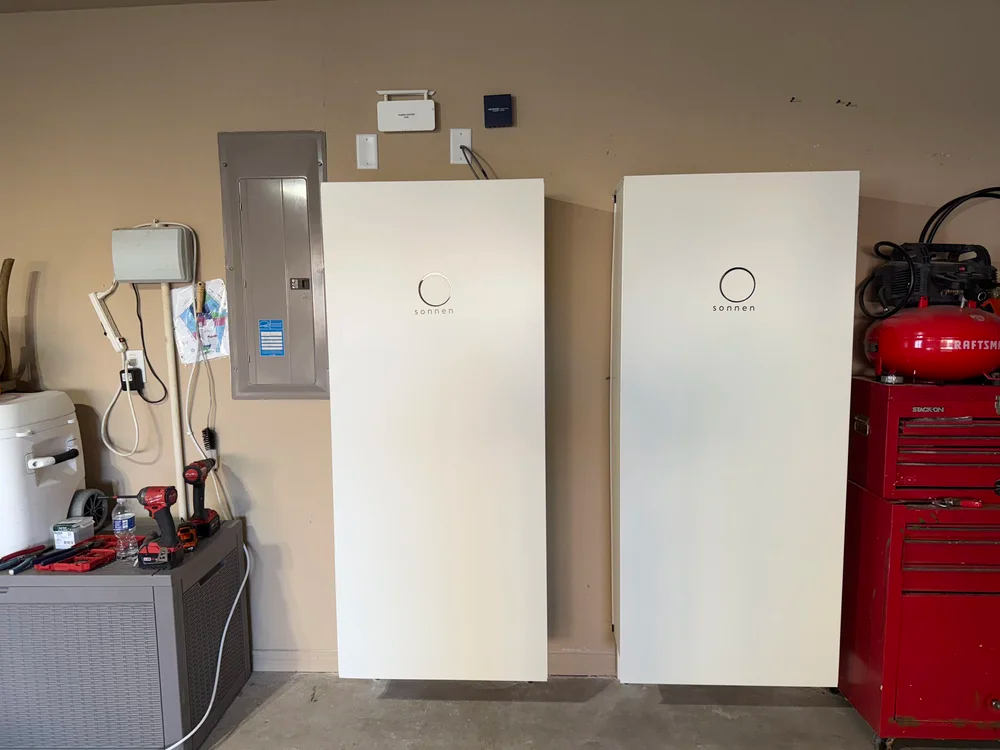
⚡ Equipment
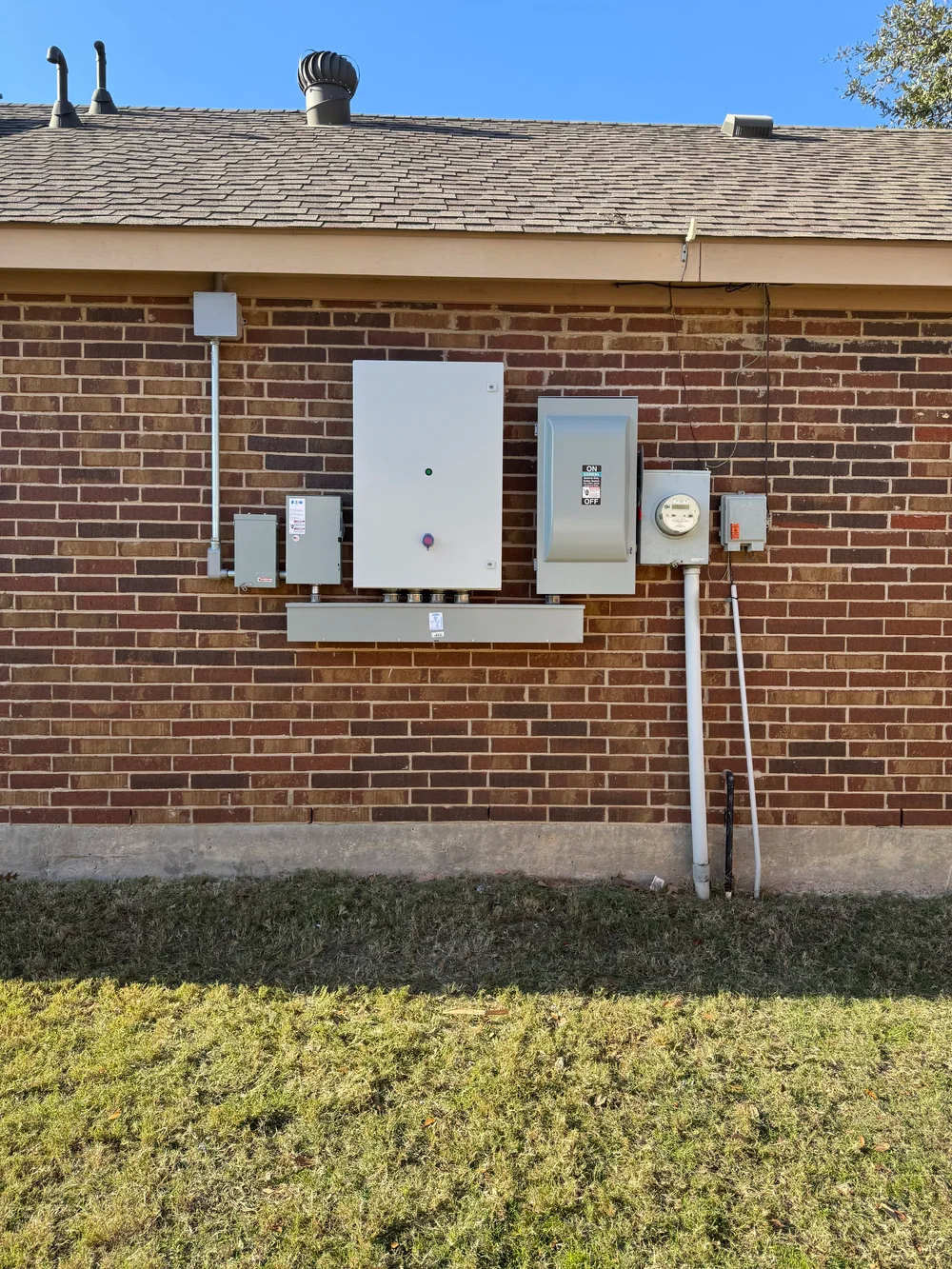
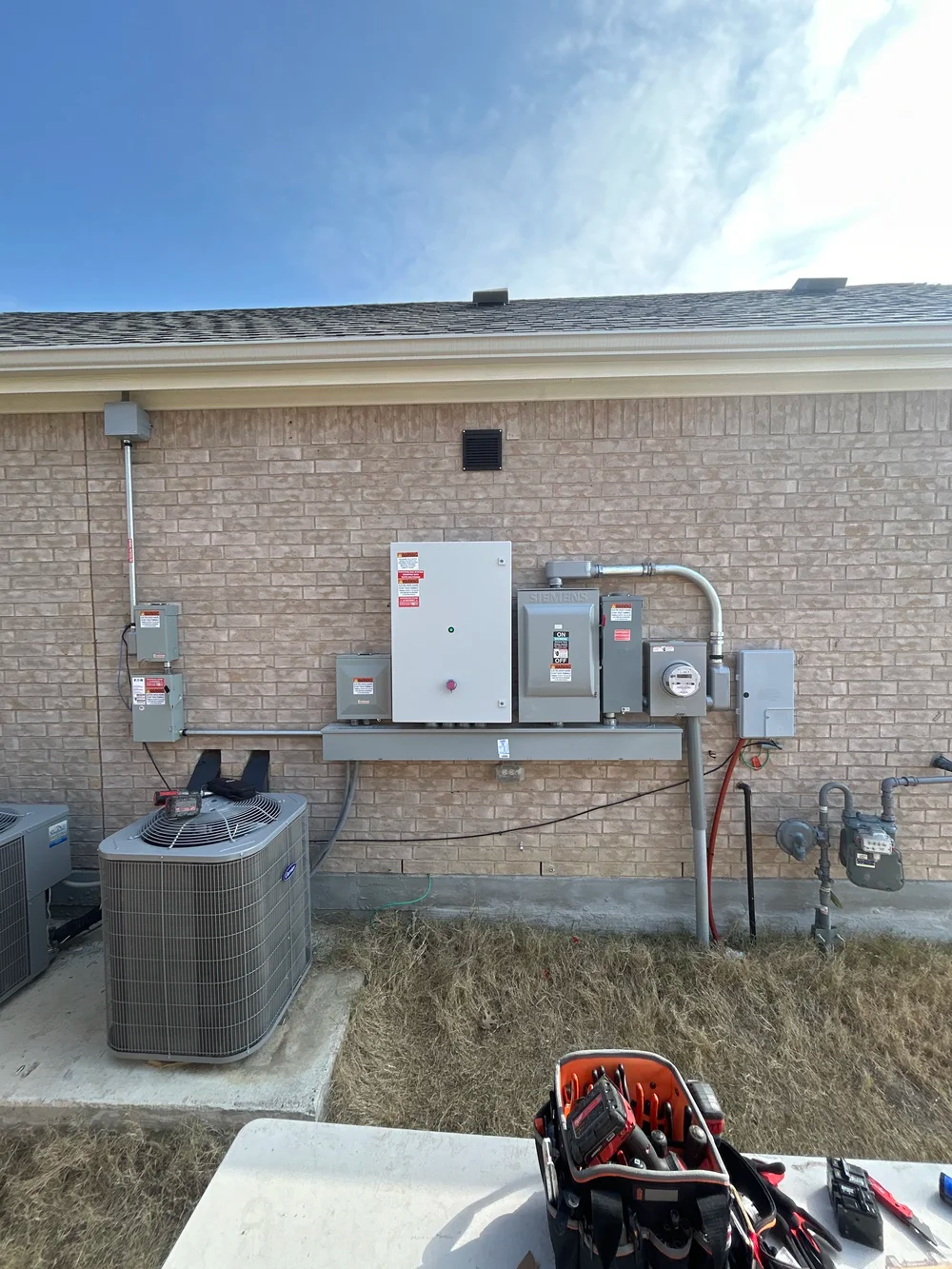
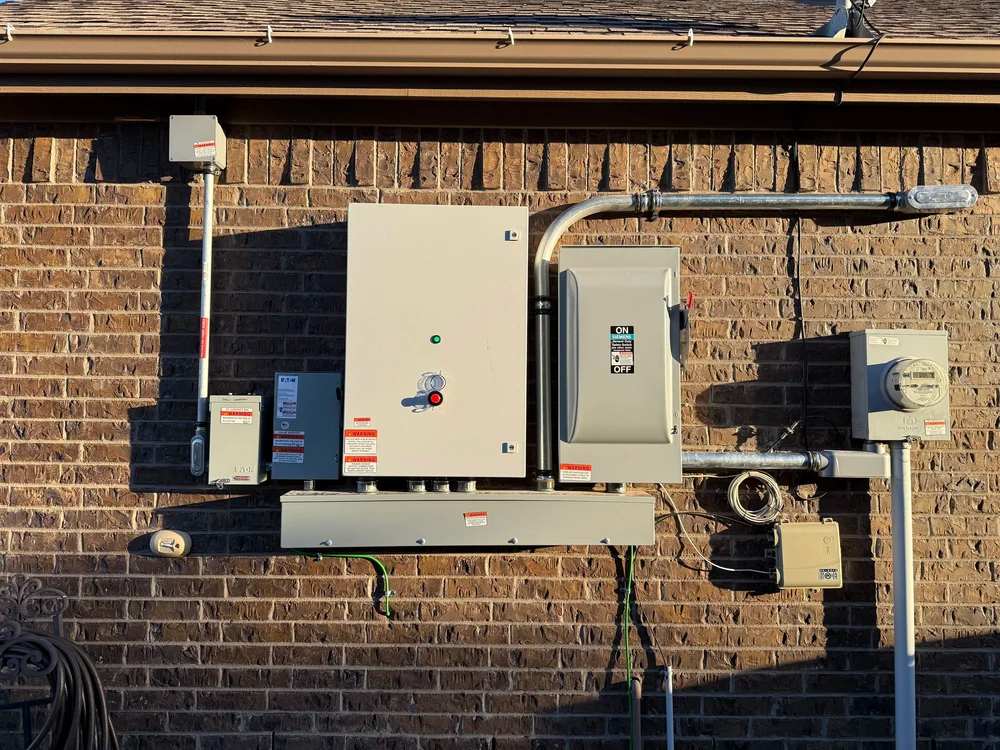
Interconnection Process
Before your solar + battery system can be installed, your utility company must review and approve the interconnection. This is the process of getting your utility's permission to physically connect your system to the grid. Each of the four Texas utilities handles this differently.
What the customer needs to do: Sign documents when they arrive by email. That's it. Everything else is handled by the installer and Solrite ops. But delays almost always happen because customers don't see or don't sign the emails fast enough.
Oncor Electric Delivery Fastest
| Detail | Info |
|---|---|
| Portal | eTRACK+ (ANB Systems) — plus.anbetrack.com/oncor-dg |
| Typical PTI Approval | ~11.5 days avg (range: 1–21 days) |
| Documents Sent Via | RightSignature |
| Customer Emails From | [email protected] |
| Meter Handling | Remote reprogram (no swap) |
| Contact | [email protected] · 866-728-3674 |
Pre-Install Process
Application Submitted
Installer registers on the eTRACK+ portal and submits the interconnection application with system specs, equipment details, and site photos.
Sign the Tariff Application (TA)
Customer receives an email from [email protected] with the Tariff Application. This registers the system with the grid and establishes the terms for energy buy/sell. Customer must sign and return.
Technical Review
Oncor reviews the application, performs a system impact study, and checks transformer capacity. For standard residential systems, this is straightforward.
Sign the Interconnection Agreement (IA)
A second email from [email protected] arrives with the Interconnection Agreement. This establishes the technical and safety requirements for connecting to the grid. Customer must sign and return.
Approved — Ready for Install
Once both documents are signed and the review is complete, the system is approved for installation. Oncor does not use a separate "PTI" designation — approval flows directly into the install phase.
CenterPoint Energy Medium
| Detail | Info |
|---|---|
| Portal | eTRACK+ (ANB Systems) — plus.anbetrack.com/cnp-dg |
| Typical PTI Approval | ~4.3 days avg (range: 1–15 days) |
| Documents Sent Via | RightSignature |
| Customer Emails From | [email protected] |
| Meter Handling | Remote reprogram (no swap) |
| Contact | [email protected] · 713-945-4155 |
Pre-Install Process
Application Submitted
Installer submits via eTRACK+ with customer's ESI ID, one-line diagram, layout sketch, equipment specs. For battery systems, a Mode of Operation document is required describing how the battery interacts with the grid.
Sign the Tariff Application
Email from [email protected] with the DER Application Tariff. Customer clicks the link, signs in the blue box. Must be signed before review proceeds.
Design Review
CenterPoint reviews the one-line diagram, layout, and equipment. For small residential (<25kW), an interconnection study is typically not required. Applications are processed in order received.
Design Approved = Ready for Install
Once the design review passes, the installer can proceed with physical installation. CenterPoint calls this "Design Approved" — this is functionally the PTI milestone.
AEP Texas Slowest
| Detail | Info |
|---|---|
| Portal | PowerClerk — aep.powerclerk.com |
| Typical Review Time | 2–6 weeks (technical review only) |
| Total Pre-Install Timeline | 6–12+ weeks |
| Documents Sent Via | DocuSign |
| Customer Emails From | DocuSign emails referencing AEP / Interconnection |
| Meter Handling | Reprogram or replace (no meter collars allowed) |
| Contact | [email protected] · (361) 881-5333 |
Pre-Install Process
Application Submitted via PowerClerk
Installer submits Interconnection Service Request with system specs, one-line diagram, equipment details, and DER Operating Profile. Construction cannot begin until application is submitted and reviewed.
Completeness Review
AEP checks that the application is complete and correct. May request additional information, which resets the clock.
Technical Review / Study
AEP performs screening analysis reviewing voltage regulation, protection, power quality, and thermal limits. Applications that trigger a full system impact study enter the "Study Track" and take significantly longer.
Sign the Interconnection Service Agreement (ISA)
AEP sends the ISA via DocuSign. This is the contract governing the interconnection — technical conditions, metering, insurance, and terms. Customer must sign and return.
Conditional Approval to Construct
After the ISA is executed, AEP sends a written approval letter allowing construction to begin. This is AEP's version of PTI — the system can be physically installed but cannot be energized yet.
Texas-New Mexico Power (TNMP) Medium
| Detail | Info |
|---|---|
| Portal | PowerClerk — tnmpinterconnect.powerclerk.com |
| Typical Review Time | ~10 business days (stated) |
| Documents Sent Via | PowerClerk email |
| Customer Emails From | [email protected] |
| Meter Handling | Physical meter swap — $227 fee |
| Contact | [email protected] · 972-353-5008 (Vincent Herrera) |
Pre-Install Process
Application Submitted via PowerClerk
Installer submits DG application with site plan, one-line diagram (must include ESI ID and TNMP meter number), inverter specs, and layout sketch showing AC disconnect location.
Complete the Customer Confirmation Email
Customer receives an email from [email protected] with subject like "Your INT-XXXXX DG Application has been received". Contains a link the customer must click to confirm the application. TNMP will NOT begin reviewing until this is done.
Application Review
TNMP reviews the application and performs their study. This is their stated timeline — actual may vary.
Sign the Interconnection Agreement
TNMP sends the "Agreement for Interconnection and Parallel Operation of Distributed Generation" through PowerClerk. 4 pages + Exhibit A. Customer signs electronically.
Letter of No Objection = Ready for Install
TNMP returns a "Letter of No Objection" approving installation. This is TNMP's version of PTI. The system can now be physically installed.
Side-by-Side Comparison
| Oncor | CenterPoint | AEP Texas | TNMP | |
|---|---|---|---|---|
| Portal | eTRACK+ | eTRACK+ | PowerClerk | PowerClerk |
| Customer Docs Via | RightSignature | RightSignature | DocuSign | PowerClerk |
| Customer Signs | TA + IA | TA + IA | ISA | Confirmation + IA |
| Review Time | ~11.5 days | ~4.3 days | No data yet | ~10 biz days* |
| PTI Equivalent | IA Signed | Design Approved | Conditional Approval to Construct | Letter of No Objection |
| Meter | Remote reprogram | Remote reprogram | Reprogram/replace | Physical swap ($227) |
| Emails From | [email protected] | [email protected] | DocuSign | [email protected] |
Oncor / CenterPoint customers: Search for [email protected]
AEP customers: Search for DocuSign emails referencing AEP or Interconnection
TNMP customers: Search for [email protected]
Frequently Asked Questions
🔋 Will the battery back up my whole home, including the AC?
No — and this must be set correctly before the sale. The Solrite system is designed for essential loads backup only, not whole home backup. HVAC systems, central AC units, electric water heaters, and electric dryers are not placed on the backup circuit.
Why: These appliances draw so much power that they can overload the battery instantly and drain even a 60kWh system in hours, leaving the customer without any backup at all. Essential loads — lights, outlets, refrigerator, and smaller devices — can run for an extended time.
For customers who want to stay cool during an outage: suggest plugging in a portable window AC unit or fans into backed-up outlets. Those draw much less power and can provide meaningful comfort without draining the battery.
💡 My customer says their utility bill went up after the battery was installed — why?
There are a few common causes to investigate:
- They're comparing to a seasonal low. If they signed in spring and the battery launched in summer, their bill will be higher simply due to AC usage — not the battery.
- They haven't switched to the approved REP yet. The discounted retail rate through Abundance requires the customer to be on the approved plan. If they're still on their old REP, they're not getting the benefit.
- The system is still in contract or NTP stage. The VPP doesn't activate and the rate benefit doesn't start until the system is fully commissioned and in service.
- Usage has increased. A new family member, new appliances, electric vehicle — any of these can raise usage independent of the system.
⚡ The battery spec sheet says "backup" — what's the difference between a VPP battery and a regular backup battery?
All batteries can technically provide backup power — that's not the distinguishing feature. The difference is what a battery is engineered and certified to do beyond backup.
Most residential batteries on the market were built primarily as backup power devices with a basic demand response capability tacked on — meaning a few times a year, the grid operator can request a scheduled discharge. That's it.
The batteries Solrite installs were engineered from the beginning for Virtual Power Plant participation — not as backup boxes with an app. sonnen pioneered residential VPPs in Europe, where it's been doing advanced grid services for over a decade, and is now on its 11th-generation battery. The Duracell Power Center Max Hybrid was likewise purpose-built as a grid-interactive storage system. Both platforms support over a dozen grid services including frequency regulation, voltage support, and fast-response dispatches of 30 seconds to 5 minutes — none of which drain the battery in a way the customer would notice. This is what makes it a real VPP and not just a backup battery with a marketing label.
🤔 Why aren't other solar companies offering this program?
They'd like to — but they don't have the right battery. Most residential batteries were designed and marketed as backup products. They're just now starting to develop demand response capabilities, and what they offer today is limited to a couple of scheduled annual dispatches.
sonnen has been building for the grid in Europe for over a decade, and Duracell Power Center engineered its systems for grid interactivity from day one. Between them, Solrite's battery partners have the engineering, certifications, and grid relationships required to run a real VPP. Most other manufacturers are a few years behind in that specific capability. As they catch up, you'll start to see more programs like this emerge — but right now, this is largely unique to what Solrite and its battery partners are doing in Texas.
📋 Is the VPP program officially recognized by ERCOT?
The program operates through direct commercial partnerships with licensed Retail Electric Providers (REPs) regulated by the Public Utility Commission of Texas (PUCT). Our REP partners use the battery systems to participate in ERCOT's grid demand response and balancing programs — this is a well-established and growing part of how ERCOT manages grid reliability.
You won't find a specific "Solrite program" page on ERCOT's website because it functions through commercial REP arrangements, not a separately listed certification. But the underlying grid mechanics — distributed battery storage participating in demand response — are the same ones powering the broader Texas energy market. The REPs are licensed, regulated entities, and the program is financially and legally sound.
🏠 Does the customer own the solar and batteries?
No — Solrite retains ownership of all equipment under the VPA. The customer is purchasing access to the energy the system produces and the benefits of VPP participation — not the hardware itself.
This is actually the financially smarter position for the customer on batteries specifically. Residential batteries typically have a lifespan of 7–15 years depending on usage and chemistry. Under a 25-year agreement, the battery will likely need to be replaced at least once. If the customer owned it, that replacement — which can cost $10,000–$15,000 — would come out of their pocket. Because Solrite owns it, Solrite is contractually responsible for service and replacement at no cost to the homeowner.
Duracell Max Hybrid specs: Lithium Iron Phosphate (LFP) chemistry, modular 5 kWh packs stackable to 60 kWh, 96.5% CEC efficiency, NEMA 3R outdoor-rated enclosure, 10-year warranty.
⚡ What happens if a customer switches away from the approved REP?
There is a $250/month financial penalty in the contract for leaving the Solrite-approved REP. This is a real provision and should be disclosed clearly during the sale — not discovered by the customer later.
Why it exists: the REP uses the battery for grid services revenue and passes savings back to the customer as a lower electricity rate. If the customer leaves the approved REP, their battery is removed from the network the economics depend on. The penalty compensates for that disruption.
For the vast majority of customers, staying on the approved REP is a non-issue. They receive a competitive rate that's already better than what they'd find on their own. But they should understand the commitment upfront.
📅 How long does it take from contract to installation?
Timelines vary quite a bit depending on three main factors: contract stage completion, where you sell, and which utility serves the home. Installs can happen in as little as 3 weeks for clean deals in the right areas, but if you are missing contract items when you submit the deal, have an unresponsive customer, or are in an area with longer timelines, it could be much longer.
1. Contract Stage — Get this done fast
Nothing moves until contract stage is complete. The requirements are:
- Signed agreement (name matches title exactly)
- Completed video welcome call
- Billing profile connected through Stripe
- Full utility bill — complete PDF showing account number, ESIID, meter number, usage, and customer name
The utility bill is the most common holdout. Make sure it's a full PDF — not a screenshot, not a link, not a partial upload. Get it submitted the same day you sign if possible.
2. Where You Sell — Permits move at very different speeds
Most of Texas now allows TPI (Third Party Inspections), which significantly speeds up permitting. However, the larger cities tend to push back on TPI and require you to go through their standard permit process:
- Houston, Dallas, Corpus Christi — These cities typically resist TPI and run their own permit process, which can add several weeks.
- County areas and smaller cities — Generally work with TPI rules or have no permit required at all, and move much faster.
If you're selling in a major metro, set your customer's expectations accordingly. If you're in a county or smaller city, permitting is usually one of the faster parts of the process.
3. Utility Interconnection (PTI) — Know your utility
After installation, the utility has to approve Permission to Interconnect (PTI) before the system can go live. Speed varies significantly by utility:
- Oncor — Fastest. Generally the smoothest PTI process in Texas.
- Centerpoint — Close behind Oncor. Usually efficient.
- TNMP — Somewhat slower than the above two.
- AEP — The slowest for PTI. Budget extra time on AEP deals.
🙋 What does the customer need to do after signing?
The customer has a few things to complete after signing:
- Complete the video welcome call — answering questions about their agreement on camera, clearly and without coaching.
- Connect a payment method through Stripe (bank account preferred; credit/debit cards add a $15/month surcharge).
- Provide a full utility bill — must be a complete PDF that shows account number, ESIID, meter number, usage, and customer name.
- Be available for a site survey once the deal is in NTP.
- Sign the utility interconnection documents — the utility will send paperwork that the customer needs to sign as part of the Permission to Interconnect (PTI) process. This is one of the most common causes of delays. Give your customer a heads-up that these are coming so they don't sit in their inbox for two weeks.
- If they live in an HOA — the customer will need to submit a solar installation application to their HOA. We can provide all the documentation they need (plans, specs, etc.), but the customer must submit the application themselves. HOAs only work with homeowners, not installers.
- Be home on installation day.
After the system is live, the customer doesn't manage any settings — Solrite controls battery reserve percentages, emergency backup mode for storms, and VPP dispatch. The customer just pays their monthly VPA bill and uses their electricity normally.
📆 What happens at the end of the 25-year agreement?
At the end of the 25-year VPA term, the customer has the option to:
- Renew the agreement
- Have the equipment removed at no cost
- Purchase the equipment at fair market value
The solar panels carry a 25-year linear power production warranty guaranteeing approximately 80% of rated output at year 25, so the system will still be producing meaningful power at that point.
🔌 Can a customer have a generator with this system?
Yes. Generators are compatible with the Solrite system.
The one thing to get right is load selection. The battery backs up a defined set of essential loads, and the generator covers whatever the customer chooses to put on it. The same load cannot be backed up by both, so the customer decides which circuits sit on battery backup and which sit on the generator.
Have that conversation during the site survey and design, not after install. Once the essential loads panel is built, changing the split means sending an electrician back out.
🏚 What if the roof needs repairs or replacement?
The roof must have at least 10 years of expected remaining life to qualify. If the roof needs replacement soon, the customer should address that before or at the same time as the solar installation — attempting to reroof after panels are installed is significantly more expensive because the panels need to be removed and reinstalled.
If a customer's roof is borderline, flag it honestly during the site survey conversation rather than discovering it at install. Roofing-related delays after a contract is signed are avoidable.
🏘 My customer lives in an HOA — who handles the approval?
The homeowner handles it — not us. HOAs are Homeowners Associations. By definition, they work with homeowners, not with contractors, installers, or sales reps. If we call or write to an HOA on behalf of a customer, they will typically redirect us to the homeowner anyway.
The customer will need to submit a solar installation application to their HOA. This is their responsibility. What we can do is provide everything they need to complete it:
- Engineered system plans and drawings
- Equipment spec sheets
- Any other documentation the HOA requires
The customer submits the application, follows up with the HOA, and gets approval. We wait. HOA approval must happen before we can install, so the sooner the customer starts that process, the better.
📄 UCC-1 Filing — "Can you take my house?"
This comes up at the table constantly. Homeowners see the words "lien" and "filing" and assume their house is on the line. It is not. Answer it directly and move on, because hedging makes it sound worse than it is.
The one-line answer: a UCC-1 is a lien on the equipment, not on the home. It says the solar system and battery belong to us while you use them. It gives us no claim on the house, the land, or the equity.
| What it DOES | What it does NOT do |
|---|---|
| Puts a public notice on the panels, battery, and inverter | It is not a mortgage or a lien on the property |
| Keeps the equipment legally separate from the house | We cannot foreclose. There is no legal path to the home. |
| Protects both sides if the property changes hands | It does not affect their credit |
If they ask what happens when someone stops paying: be straight, do not soften it. It is a real bill and we expect it to be paid. If payments stop, we shut the system off and the account goes to collections, same as any unpaid bill. What does not happen is us taking the house.
If they ask about selling or refinancing: routine. At closing the agreement either transfers to the buyer or is paid off, and the UCC-1 is released. Title companies handle these every day. Tell them to mention it to their agent early and it is a normal step, not a problem.
Why it exists: we are paying for the system, so there has to be a public record that the equipment is ours while the customer uses it. Without it, the hardware could get treated as part of the house. The filing is what keeps the line clear between their home and our equipment.